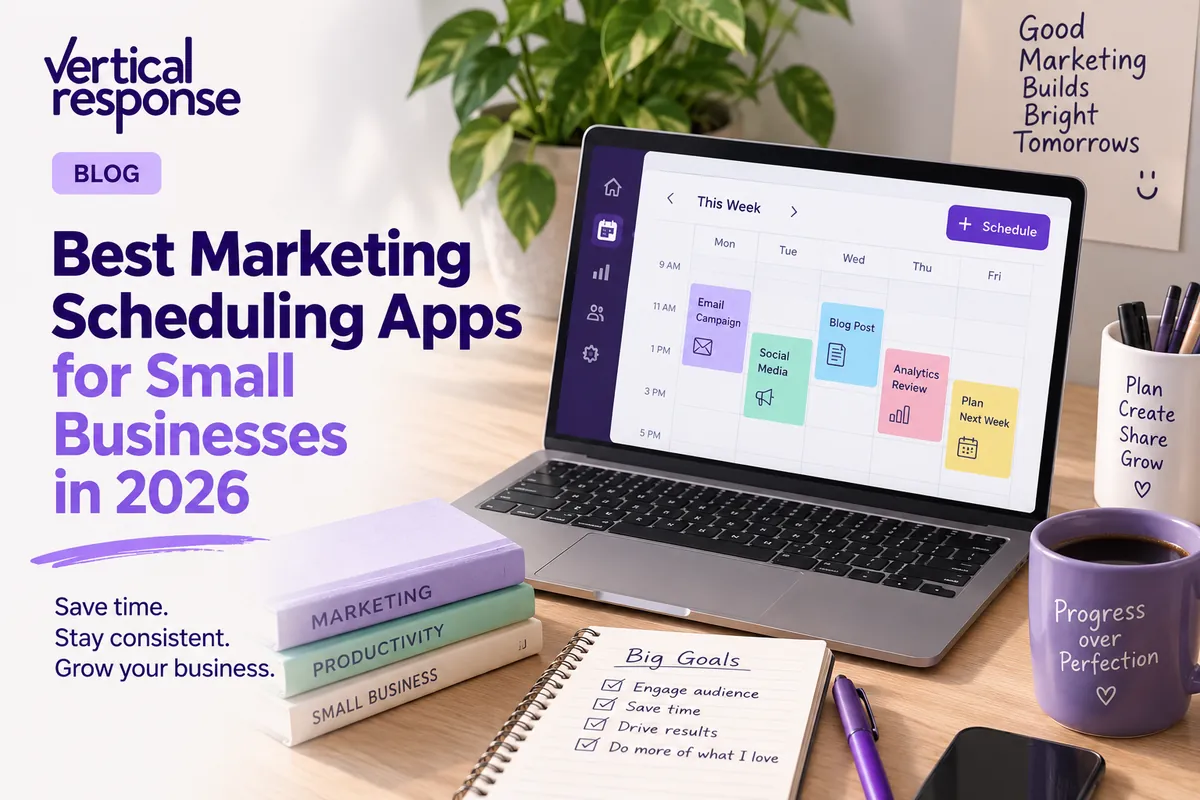
Best Marketing Scheduling Apps for Small Businesses in 2026

Running marketing across email, social media, and your website without a scheduling system is like trying to coordinate a team using sticky notes on a fridge. It works until it doesn’t. The best marketing scheduling apps give small businesses a way to plan, queue, and publish content across every channel from a single workspace, without the chaos.
This guide breaks down the top scheduling tools available in 2026, what features actually matter, and how to build a scheduling stack that matches your team size and budget.
Key Takeaways
- The best marketing scheduling apps centralize email, social, and campaign calendars so small marketing teams can plan content without jumping between platforms.
- Tools with shared calendars, built-in performance insights, and an AI assistant now give marketing teams deeper insights into what to publish and when.
- Google Calendar is excellent for time management, but dedicated marketing scheduling tools are better for coordinating content creation, approvals, and reporting.
- VerticalResponse can act as a core email and campaign calendar hub, while integrating with social scheduling tools for a complete stack.
- The sections below compare leading marketing scheduling tools, key features, pricing ranges, and how to choose the right mix for your team size and channels.
What Is a Marketing Scheduling App (and How Is It Different from Google Calendar)?
A marketing scheduling app is software built to plan, queue, and publish campaigns across email, social media posts, blogs, and events. Marketing scheduling apps generally fall into two categories: social media schedulers and content calendar schedulers. Both facilitate planning and automating social media content and campaign execution across multiple platforms.
General scheduling tools like Google Calendar manage meetings, working hours, and shared calendars for your wider organization. Marketing schedulers, by contrast, manage posts, emails, landing pages, and multi-channel campaigns. Modern calendars automate content planning and publishing, and scheduling tools can automate content planning and publishing in ways a general calendar simply cannot.
Common capabilities include:
- Multi-channel calendars that show email, social, and blog content side by side
- Content queues that let you line up posts and sends days or weeks ahead
- Approval workflows so drafts get reviewed before going live
- Shared calendars that keep marketing teams aligned on deadlines
- Built-in performance insights that track opens, clicks, and engagement
Most teams still use Google Calendar for internal meetings but connect it to a marketing scheduling app for launch dates, newsletters, and campaign milestones.
For example, a small business coordinating a product launch might schedule a promotional email series in VerticalResponse, plan Instagram teasers in a social scheduler, and update their Google Business Profile, all mapped out on a unified marketing calendar so nothing falls through the cracks.

Quick Comparison: Best Marketing Scheduling Apps for 2026
Top marketing scheduling apps include Buffer, CoSchedule, Hootsuite, Sprout Social, and HubSpot. Here is a quick look at where each tool shines and how they fit different needs:
- VerticalResponse – Email marketing and campaign scheduling hub for small businesses and nonprofits. Strong free and low-cost plans starting at $13/month. Best for anchoring your email calendar.
- Buffer – Clean, affordable social scheduler. Free tier with 3 channels; paid plans from ~$6/channel/month. Great for solo creators and lean teams.
- CoSchedule – Unified marketing calendar merging social, blog, email, and project tasks. Starts at ~$29/month. Best for growing teams that need a central hub.
- Hootsuite – Enterprise-grade social management with bulk scheduling. Mid-market to enterprise pricing. Strong for agencies managing client accounts across many platforms.
- Sprout Social – Sprout Social offers advanced reporting and social listening capabilities. Premium pricing. Ideal for data-driven marketing teams needing deeper insights.
- SocialBee – Category-based content recycling and evergreen post scheduling. Budget-friendly. Good for businesses that want to organize and reuse content.
- Brandwatch Social Media Management – AI-powered social intelligence and publishing at enterprise scale. Best for large companies tracking brand sentiment.
Google Calendar fits in as the backbone for personal schedules and appointments but is not built for publishing or analytics. Many of these apps export key campaign dates to Google Calendar so everyone stays informed.
VerticalResponse: Email-Centric Campaign Scheduling for Small Teams
VerticalResponse is our platform, purpose-built for email marketing, automation, landing pages, and integrated campaign calendars. It is designed specifically for small businesses and nonprofits that need to create, schedule, and track professional campaigns without a steep learning curve.
Users can schedule newsletters, promotional blasts, and automated follow-up series in advance. Automated follow-ups and advanced reporting are key features of email marketing tools, and VerticalResponse delivers both. You can coordinate email send dates with other marketing scheduling tools to ensure social posts and emails hit your audience in the right sequence.
Shared calendars within VerticalResponse help owners and marketing teams see all upcoming email sends, survey launches, and landing page tests in one calendar view. Email marketing tools often provide features for list growth and landing pages, and VerticalResponse includes both, along with pop-ups and customizable sign-up forms to feed your contact list.
Performance insights are built into every campaign. You can review open rates, click rates, unsubscribes, and conversions to understand which send times and topics drive the most engagement. Use those metrics to inform not just your next email but also your social posting schedule.
VerticalResponse complements social scheduling tools by anchoring the email portion of a campaign. When you know your newsletter goes out on the 10th, you can schedule supportive social posts before and after that date in Buffer or Hootsuite.
Mini-scenario: A nonprofit planning a quarterly donation drive uses VerticalResponse to schedule a monthly donor newsletter, a three-email appeal series with automated follow-ups, and a landing page for online donations. Event reminders go out automatically. The team reviews open and click data to adjust the next month’s send times and subject lines.
Social Media Scheduling Tools: Keeping Your Channels Consistent
Marketing teams need social media scheduling tools alongside email to maintain a consistent posting cadence across Facebook, Instagram, LinkedIn, TikTok, and more. Visual content calendars allow planning and scheduling of posts weeks in advance, which means your feed never goes dark.
Tools like Buffer, Hootsuite, and SocialBee offer drag-and-drop calendars, shared calendars for teams, and automatic posting to multiple platforms. Buffer helps teams manage social media posts from one dashboard and supports scheduling for 10 social media platforms. Hootsuite allows bulk scheduling of up to 350 posts, which is a lifesaver for agencies handling paid campaigns and organic content at scale. SocialBee’s calendar integrates with a category-based posting system, letting you organize evergreen content by theme and recycle it automatically.
Social media calendars improve collaboration across teams and stakeholders by giving everyone visibility into what is going out and when. Social media calendars also improve planning and collaboration across teams by surfacing gaps, overlaps, and opportunities before content goes live.
AI assistants inside these tools can auto-generate captions, suggest optimal posting times based on past engagement data, and even repurpose a blog post into a LinkedIn update or a set of YouTube Shorts. This differs from email automation, which focuses more on rule-based triggers like welcome series and re-engagement sequences.
Many social tools integrate with Google Calendar or export calendars so that important campaign dates appear in everyone’s personal schedule. Planable offers real-time commenting for collaborative scheduling, making it easy for clients and stakeholders to leave feedback directly on draft posts.
Connect your social scheduler to your email platform so that launches and newsletters line up across channels. When your email marketing calendar and social calendar are in sync, your audience gets a consistent message everywhere they look.

Unified Marketing Calendars: CoSchedule, StoryChief, and Beyond
A unified marketing calendar merges blogs, email, social, events, holidays, and sometimes ads into one shared calendar for marketing teams. A unified calendar provides a clear overview of all planned content, which is critical when multiple channels and contributors are involved.
CoSchedule merges content planning with marketing calendars and social scheduling, letting teams plan launches, assign tasks, attach briefs, and visualize multi-channel campaigns in a single calendar view. Products like StoryChief similarly combine blog publishing, social distribution, and analytics in one workspace. Content management systems can integrate scheduling, client approvals, and analytics in one platform, reducing the number of tools a team has to juggle.
Collaboration features make these calendars especially valuable for agencies and growing teams. Approval workflows help track content approvals, edits, and sign-offs in marketing scheduling tools, so nothing gets published without the right eyes on it. Role-based access lets you give freelancers limited editing permissions while keeping full control with internal stakeholders. Comments, content briefs, and file attachments keep all context in one location.
Performance insights appear alongside planned content, allowing teams to quickly adjust upcoming campaigns based on what is working. If last week’s LinkedIn post outperformed your Facebook ads, you can shift resources on the same calendar.
Small businesses may not need a full suite on day one, but growing teams often graduate to unified calendars while still keeping VerticalResponse as their dedicated email engine.
AI-Powered Scheduling: From Best-Time Suggestions to Full AI Assistants
By 2026, AI assistants inside scheduling tools have evolved from simple timing suggestions to full content collaborators that surface deeper insights and accelerate content creation. According to industry reports, 87% of enterprise marketing teams now use AI tools as part of their core workflow.
Typical AI capabilities include:
- Analyzing past performance to recommend the best times to send emails or post on social
- Generating test subject lines, captions, and calls-to-action
- Suggesting content ideas based on trending topics and audience data
- Proposing full content calendars with topics, channel mix, and frequency
AI marketing tools optimize content creation and scheduling tasks, and some platforms now offer an AI assistant that can propose a complete monthly calendar, including email topics, social posts, and landing page ideas, all based on your business goals.
However, treat AI as a helper, not a replacement. Final human review still matters for brand voice, compliance, and audience fit. Marketing automation reduces manual work in marketing processes, but transparency and control remain essential.
Example: An AI assistant reviews last quarter’s email and social performance for a boutique retailer. It recommends shifting newsletter sends from Tuesday morning to Thursday afternoon, increasing Instagram post frequency from three to five times per week, and testing a new template for promotional emails. The marketing team reviews the suggestions, adjusts for an upcoming holiday push, and loads the updated schedule into their tools.
Using Google Calendar Alongside Marketing Scheduling Tools
Google Calendar remains the backbone for personal schedules, internal meetings, and shared calendars across the wider organization. Google Calendar can sync events from Gmail automatically, which means meeting invites and deadline reminders flow in without manual entry.
Many marketing scheduling apps sync key milestones to Google Calendar, such as major email sends, campaign kickoffs, and reporting deadlines, so no one on the broader team misses them. Zoho Bookings syncs schedules across Google Calendar and Outlook, and Zoho Bookings allows prospects to self-schedule in seconds, which is useful if your marketing efforts drive inbound consultations.
Best practices for combining these systems:
- Create a dedicated “Marketing Calendar” inside Google and subscribe the whole marketing team
- Map launch dates from email and social tools into it
- Use working hours and location visibility in Google Calendar so stakeholders know when marketing leads are accessible to coordinate
Automated notifications reduce no-shows in appointment scheduling, and automated email reminders improve appointment management efficiency, both features that Google Calendar handles well for meetings and events. But while you can technically track campaigns in Google Calendar alone, specialized marketing scheduling tools provide performance insights, publishing features, and approval workflows that Google Calendar does not.
Key Features to Look for in a Marketing Scheduling App
Buyers should evaluate scheduling tools on more than just a calendar view. The goal is to match features to your team size, channels, and growth plan.
Core features:
- Multi-channel shared calendars that consolidate email, social, and web content
- Automation rules for recurring sends and drip sequences
- AI assistant capabilities for content generation and optimization
- Integrations with email platforms like VerticalResponse, CRMs, and analytics tools
Performance insights:
Content calendars help track ROI and performance insights. Look for click and open rates for email, engagement metrics for social, and dashboards that help teams adjust their strategy based on real data rather than guesswork.
Workflow essentials:
Effective marketing scheduling relies on clear content schedules and approval workflows. Prioritize tools that support comments, content versioning, file attachments for images and creative assets, and role-based access for marketing teams and agencies.
Reliability and usability:
Mobile apps, clear interfaces, a low learning curve for non-technical users, and reliable publishing without failures. If the tool is harder to learn than the spreadsheet it replaces, it won’t deliver value.
Choosing the Right Scheduling Stack for Your Team Size
Most small organizations do not need every tool. They need the right combination of scheduling tools that address their biggest bottleneck.
Solo founders: Use VerticalResponse for email scheduling plus a lightweight social scheduler with a free tier like Buffer. Manage big dates in Google Calendar. This stack costs little to nothing and covers your core channels.
Small marketing teams (2–5 people): Add shared calendars in both the email platform and the social scheduler, plus basic approval workflows. Schedule joint reporting calls to review analytics and adjust. Connect your tools so campaign dates are visible to everyone.
Growing teams and agencies: Invest in a unified marketing calendar like CoSchedule that sits on top of email, social, and content platforms. Marketing automation tools can integrate with email marketing platforms, so your email engine and social scheduler feed into one system. Align everyone around launches, budgets, and customers.
Start by piloting one tool where inconsistency is highest, often social content, before layering on more scheduling automation. Scale up only when your content volume and team demand it.

How VerticalResponse Fits into Your Marketing Scheduling Workflow
VerticalResponse serves as the email and campaign engine within a broader scheduling stack that may also include social and project tools. It is the system where your newsletters, promotions, and automated sequences live.
Marketers can map monthly and quarterly email campaigns inside VerticalResponse, then mirror those dates in social and unified marketing calendars. For example, if your spring sale email drops on May 1, your social scheduler should have teaser posts lined up for April 28–30 and follow-up posts for May 2–3.
VerticalResponse’s performance insights on opens, clicks, and conversions can be reviewed monthly to refine future schedules and topics across all channels. Use AI prompts within VerticalResponse to speed up subject line creation and body copy drafts.
A practical workflow:
- Plan launches in a unified calendar
- Build email campaigns in VerticalResponse
- Schedule supportive social posts in a social scheduler
- Track everything on a shared marketing calendar in Google Calendar
Small businesses and nonprofits should start with a simple VerticalResponse email calendar, then integrate more advanced scheduling tools as content volume and team size grow. Content calendars help maintain a consistent posting cadence, and VerticalResponse makes that cadence easy to establish and maintain from day one.
Best Practices for Running a High-Performing Marketing Calendar
Tools alone do not guarantee results. Teams need consistent habits around planning, review, and iteration.
Hold recurring planning sessions. Set a monthly or bi-weekly meeting where the team reviews performance insights and fills the upcoming calendar for email and social content. Put it on your shared calendar so it becomes a habit, not an afterthought.
Batch content creation. Draft emails, social posts, and images in dedicated blocks so that scheduling tools are always loaded at least two to four weeks ahead. This prevents last-minute scrambles and gives time for approvals.
Assign clear ownership. Use shared calendars and labels so everyone knows who is responsible for copy, design, approvals, and scheduling for each campaign. When tasks, deadlines, and owners are visible, accountability follows.
Run quarterly deeper insights reviews. Analyze which time slots, channels, and message types are generating the best ROI. Look at email open rates by day and hour, social engagement by platform, and conversion data from landing pages. Then update your scheduling strategy to match what the data tells you.
FAQ
Do I still need a marketing scheduling app if I already use Google Calendar?
Google Calendar is ideal for meetings, deadlines, and shared calendars, but it lacks publishing, automation, and performance insights that marketing scheduling tools provide. Most teams use both: Google Calendar for time management and a marketing scheduling app for content planning and execution.
How can small nonprofits afford multiple scheduling tools?
Start with a core email platform like VerticalResponse, which offers a 50% nonprofit discount on Pro plans, plus a free or low-cost social scheduling tool like Buffer’s free tier. Upgrade only when volume and complexity justify it. Many SaaS providers offer annual billing savings and dedicated nonprofit pricing.
What’s the difference between a social media scheduler and full marketing automation?
Social media schedulers mainly handle post timing and publishing across platforms. Marketing automation platforms manage rule-based workflows like welcome series, nurture emails, and automated follow-ups triggered by customer behavior. VerticalResponse offers email automation features and can sit alongside dedicated social schedulers to cover both needs.
Can an AI assistant fully run my marketing calendar?
AI assistants can propose schedules, generate draft content, and suggest best times based on historical data, but marketers still need to review for brand voice, accuracy, and compliance. Use AI for ideation and optimization while keeping humans in charge of strategy and approvals.
How often should I update my marketing schedule based on performance insights?
Review high-level performance monthly to adjust send times, frequency, and main themes. Do a deeper quarterly review to reshape your overall cadence and channel mix. Schedule these reviews on a shared calendar so they become a consistent habit rather than an ad hoc task.
© 2026, Vertical Response. All rights reserved.






 Features
 Pricing
 Partner
 Blog
Blog Support
 More resources
 Terms of Services
 Privacy Policy