
Why Did My Email Go to Spam? 10 Common Causes & How to Fix Them

Introduction to Email Deliverability
Email deliverability is the foundation of any successful email marketing strategy. It refers to your ability to ensure that your messages land in the recipient’s inbox, rather than being filtered out by spam filters or sent straight to the spam folder. High email deliverability means your emails are reaching your audience as intended, maximizing the impact of your campaigns.
Several factors influence whether your emails make it to the inbox or end up going to spam. Your sender reputation and domain reputation play a significant role—these are scores that mailbox providers use to judge the trustworthiness of your sending practices. If you have a poor sender reputation or your domain has been associated with spam in the past, your emails are more likely to be flagged.
Proper email authentication is another critical component. Implementing protocols like SPF, DKIM, and DMARC helps prove to spam filters that your messages are legitimate and not forged by spammers. Without these, even well-crafted emails can be blocked or diverted to spam.
The content of your email also matters. Spam triggers—such as certain words, misleading subject lines, or suspicious links—can cause even genuine messages to be flagged. That’s why it’s important to craft your email content carefully and avoid common spam pitfalls.
To improve your email deliverability, focus on best practices: authenticate your emails, maintain a clean and engaged contact list, and create valuable, relevant content that encourages recipients to interact with your messages. By prioritizing these elements, you’ll boost your chances of reaching the inbox and achieving your email marketing goals.
Key Takeaways
- Emails going to spam often result from poor authentication setup, damaged sender reputation, or spammy content that triggers filters
- Major providers like Gmail and Yahoo now require SPF, DKIM, and DMARC authentication plus spam rates below 0.3%
- Recipient behavior like spam complaints and low engagement rates directly impact the deliverability of future emails, making it more likely that future emails will also go to spam
- Technical issues including missing unsubscribe links, poor HTML coding, and suspicious attachments increase spam risk
- Fixing deliverability requires addressing authentication, content quality, list hygiene, and sender reputation simultaneously
Quick Answer: Why Your Emails Go to Spam
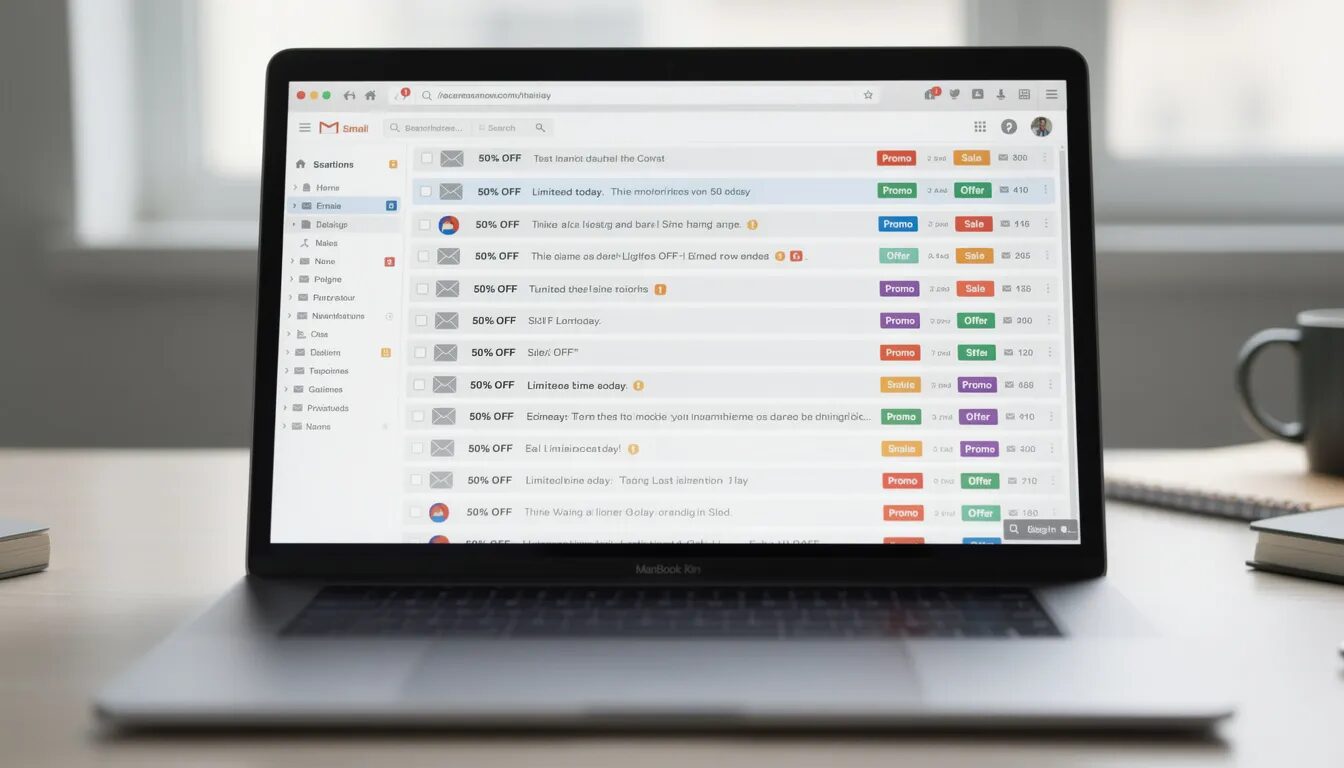
Nothing is more frustrating than spending hours crafting the perfect email campaign, only to discover your messages are landing in spam folders (emails going to spam) instead of your recipients’ inboxes. If you’re wondering why did my email go to spam, you’re not alone—approximately 20% of legitimate marketing emails end up in spam folders, even when they’re sent by reputable businesses.
Modern spam filters use sophisticated algorithms that analyze multiple factors simultaneously: your sender reputation, email authentication protocols, content quality, and recipient engagement patterns. If your domain or IP has a bad reputation, this can result in emails going to spam. These systems don’t rely on a single “magic word” that triggers spam filters, but rather evaluate your email’s overall risk score across dozens of signals. When your spam score exceeds a certain threshold, your emails are marked as spam and sent to the spam folder.
The good news? Deliverability issues are entirely fixable with proper troubleshooting and systematic improvements. Whether you’re dealing with authentication problems, poor sender reputation, or content-related spam triggers, understanding how modern spam filters work will help you diagnose and resolve your specific deliverability challenges. Additionally, emails marked as spam by recipients further damage your sender reputation, making it even more important to address these issues promptly.

How Email Spam Filters Actually Work
Spam filters operate as sophisticated scoring systems that evaluate every incoming email message before deciding where to place it. Unlike simple keyword-based filters from the early 2000s, modern spam filters use machine learning algorithms trained on billions of messages to identify patterns associated with unwanted email. These factors directly influence emails landing in the inbox or being diverted to the spam folder.
When your email arrives at a recipient’s email service provider, it passes through multiple layers of analysis. The system first checks your authentication protocols (SPF, DKIM, and DMARC), then evaluates your IP address and domain reputation based on historical sending behavior. Next, it analyzes your email content, including text patterns, HTML structure, and link destinations.
Different mailbox providers use unique algorithms with varying weights for each factor. Gmail’s machine learning models heavily emphasize recipient engagement signals—how users interact with your emails over time. Yahoo and Outlook focus more on sender reputation and authentication alignment. Corporate email security gateways add another layer, often implementing stricter policies around attachments and suspicious links.
Each factor contributes to a composite spam score. When this score exceeds a certain threshold set by the provider, your email gets diverted to the spam folder or rejected entirely. The challenge for senders is that these certain thresholds and scoring weights are proprietary and constantly evolving as spam filters adapt to new threats.
Understanding this multi-layered approach explains why fixing deliverability issues requires addressing multiple factors simultaneously rather than focusing on a single element like avoiding certain words in your subject line. For more detail, spam filters continuously update their detection methods to counter new spam tactics, making a multi-layered strategy essential for ensuring your emails land in the inbox.
Top 10 Reasons Your Emails Land in Spam
Missing or Incorrect Email Authentication
Email authentication serves as your digital ID, proving to spam filters that you’re authorized to send emails from your domain. As of February 2024, Gmail and Yahoo implemented strict requirements for bulk email senders, requiring proper SPF, DKIM, and DMARC authentication for all marketing emails.
SPF (Sender Policy Framework) records tell receiving servers which IP addresses are authorized to send emails for your domain. It is crucial to implement SPF correctly to prevent your emails from being flagged as spam. Without proper authentication, your domain could be used to send spam, increasing the risk of being blacklisted. Without SPF implementation, or with incorrect records, spam filters assume your emails could be spoofed or sent from compromised accounts. DKIM (DomainKeys Identified Mail) adds a digital signature to your messages, allowing recipients to verify the email hasn’t been altered during transmission.
DMARC (Domain-based Message Authentication, Reporting & Conformance) ties SPF and DKIM together, instructing receivers how to handle emails that fail authentication checks. Domains without DMARC policies, or with policies set to “none,” appear untrustworthy to modern spam filters.
To check your authentication status, use tools like Google’s Postmaster Tools or third-party services like DMARC Analyzer. Proper authentication doesn’t guarantee inbox placement, but missing authentication almost guarantees deliverability problems, especially for bulk email campaigns.
Poor Sender Reputation Score
Your sender reputation functions like a credit score for email delivery, tracking your sending behavior across multiple factors. Both your IP address and sending domain accumulate reputation scores based on recipient engagement, spam complaints, bounce rates, and sending volume patterns. If your domain or IP address develops a bad reputation, your emails are more likely to be filtered or sent directly to spam folders.
Poor sender reputation develops gradually through consistent negative signals. High bounce rates above 2% suggest you’re sending to invalid email addresses or haven’t maintained proper list hygiene. Spam complaint rates exceeding 0.3% trigger automatic reputation penalties from major providers. Low engagement rates—open rates below 20% or click-through rates below 2%—signal that recipients don’t find your content valuable.
Tools like SenderScore provide free IP reputation monitoring, while Google’s Postmaster Tools offers domain-specific reputation data for Gmail delivery. Once damaged, sender reputation takes weeks or months of consistent good practices to recover. The key is maintaining steady, engaged sending rather than attempting quick fixes through new domains or IP addresses.
Domain reputation carries particular weight because it’s harder to manipulate than IP addresses. Frequent domain changes or using suspicious-looking domains actually harm your overall sending reputation across your entire email program.
High Spam Complaint Rates
Spam complaints represent the most direct negative signal you can receive from recipients. When recipients mark your emails as spam, it directly impacts your sender reputation and future deliverability. When someone clicks “Report Spam” or “This is Junk,” that action gets reported back to your email service provider through feedback loops and directly impacts your future deliverability.
Gmail and Yahoo’s bulk sender requirements now enforce a strict 0.3% spam complaint threshold. Exceeding this rate triggers automatic filtering and potential delivery blocks. To put this in perspective, if you send 1,000 emails, more than 3 spam complaints could jeopardize your sender reputation.
Common causes of high complaint rates include misleading subject lines, sending to recipients who don’t remember subscribing, sudden changes in sending frequency, and content that doesn’t match subscriber expectations. Purchased email lists consistently generate high complaint rates because recipients never opted in to receive your specific communications.
Monitoring spam complaints requires setting up feedback loops with major providers and regularly reviewing complaint data through your email service provider’s reporting. Some complaints are unavoidable, but patterns of increasing complaint rates indicate fundamental problems with your email program that need immediate attention.
Spammy Content and Subject Lines
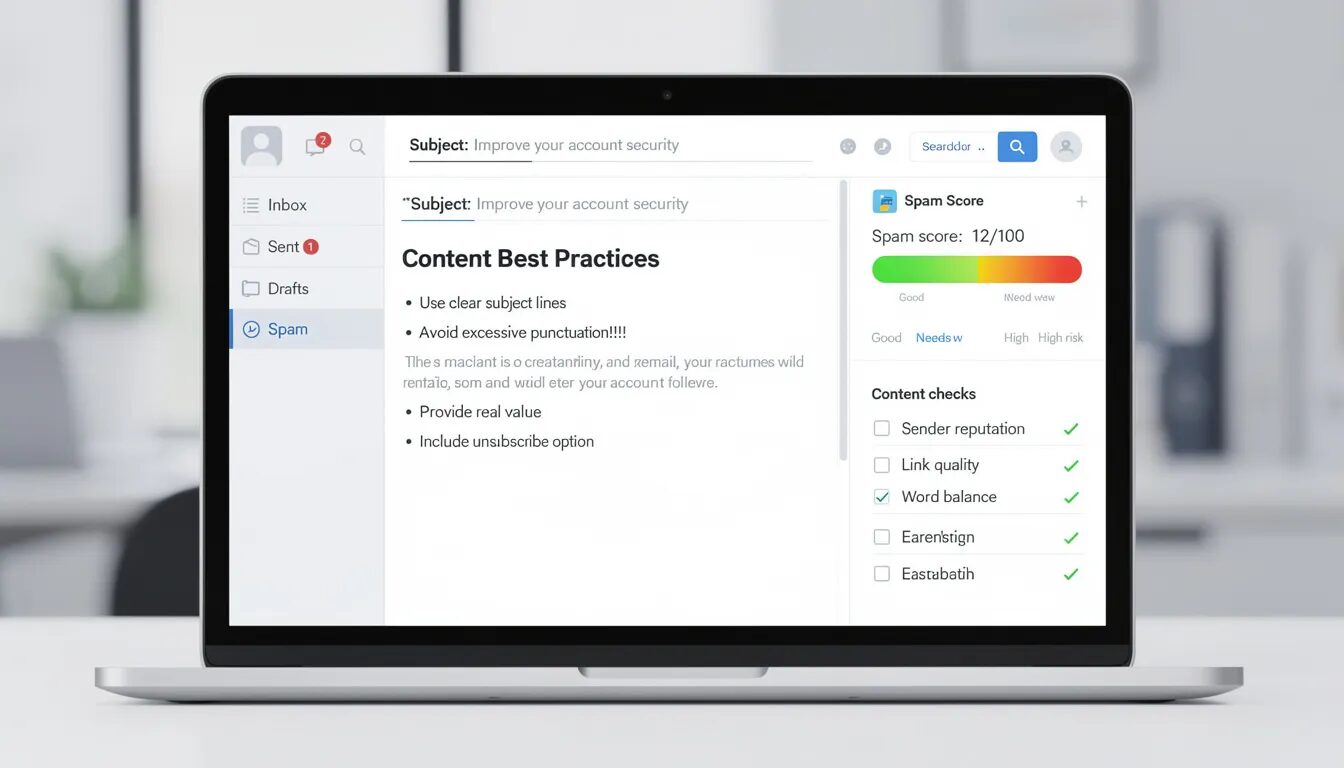
While modern spam filters rely less on simple keyword matching, certain content patterns still strongly correlate with unwanted email and can trigger spam filters. Classic spam trigger words like “FREE,” “GUARANTEED,” “ACT NOW,” and “URGENT” increase your spam score, especially when combined with other risk factors. The excessive use of promotional language, links, or images can also increase the likelihood of your emails being flagged as spam, so it’s important to keep your content balanced and avoid overusing these elements.
Excessive punctuation is a major red flag for spam filters. Multiple exclamation points (!!!), all-caps text, and symbols like $ or % mixed with promotional language follow patterns established by decades of junk email. Misleading subject lines that don’t accurately reflect your email content violate CAN-SPAM regulations and generate both spam complaints and filter penalties.
Your content-to-image ratio also matters significantly. Emails with minimal text and large images appear suspicious because spammers historically used images to evade text-based filtering. Aim for approximately 60% text and 40% images to maintain a healthy balance that encourages recipients to engage while avoiding spam filter triggers.
Modern machine learning filters also analyze context and sender-recipient relationships. The same promotional language might be acceptable from a brand someone regularly purchases from but triggering when sent by an unknown sender to a cold list.
Poor List Hygiene and Invalid Addresses
Your contact list quality directly impacts deliverability through bounce rates, engagement metrics, and spam trap hits. High bounce rates above 2% signal to spam filters that you’re not maintaining current subscriber data, which correlates with poor sending practices overall. Regularly cleaning your subscriber list is essential to maintain high deliverability and avoid spam traps.
Invalid email addresses generate hard bounces that damage your sender reputation with each occurrence. Soft bounces from full mailboxes or temporary server issues become problematic when they persist across multiple send attempts. Both types of bounces indicate list quality problems that need immediate attention.
Purchased email lists pose particular risks because they often contain spam traps—email addresses specifically created to identify senders who don’t use proper opt-in procedures. Hitting spam traps results in immediate reputation damage and potential blacklisting. These addresses never engage with emails, creating patterns of zero engagement that further harm your sender reputation.
Regular list cleaning involves removing hard bounces immediately, suppressing addresses with multiple soft bounces, and implementing re-engagement campaigns for inactive subscribers. Email verification tools can identify potentially problematic addresses before you send, helping maintain list quality proactively rather than reactively.
Low Recipient Engagement Rates
Mailbox providers like Gmail track how recipients interact with your emails and use this engagement data to determine future inbox placement. Low open rates, minimal click activity, and patterns of recipients immediately deleting your emails without reading signal that your content lacks relevance.
Engagement metrics vary by industry, but general benchmarks include open rates above 20%, click-through rates above 2%, and unsubscribe rates below 0.5%. Consistently falling below these thresholds suggests fundamental problems with your email content, targeting, or sending frequency that encourage recipients to disengage.
Gmail’s algorithms are particularly sensitive to engagement patterns. Messages from senders with consistently high engagement rates receive preferential inbox placement, while those with poor engagement get filtered to promotions tabs or spam folders. This creates a compounding effect where poor engagement leads to worse placement, which further reduces engagement opportunities.
Improving engagement requires understanding your audience and delivering content that matches their expectations and interests. Segmentation, personalization, and timing optimization all contribute to higher engagement rates that signal value to spam filters and improve your long-term deliverability.
Technical Setup Issues
Technical configuration problems create multiple opportunities for spam filters to question your legitimacy. Using “no-reply” email addresses appears unfriendly and prevents recipients from responding to your messages, which some filters interpret negatively. Your reply-to address should match your sending domain to maintain consistency and trustworthiness.
HTML coding issues can trigger spam filters when your email contains broken tags, excessive inline CSS, or significant differences between HTML and plain-text versions. Many spam filters require both HTML and plain-text versions of your email, and mismatches between these versions raise suspicion about your intentions.
Poor server configuration also impacts deliverability. Missing or incorrect reverse DNS records, misaligned HELO/EHLO names, and using consumer-grade IP addresses for business email all signal technical incompetence that correlates with spam sending in filter training data.
Email clients and spam filters also analyze your email headers for signs of spoofing or technical problems. Inconsistent routing information, missing message IDs, or malformed headers can contribute to poor spam scores even when your content appears legitimate.
Missing Unsubscribe Links
CAN-SPAM Act compliance requires visible and functional unsubscribe mechanisms for all commercial email. Missing unsubscribe links not only violates federal law but also triggers spam filters trained to identify non-compliant messages.
Gmail and Yahoo’s updated bulk sender requirements mandate one-click unsubscribe functionality, meaning recipients must be able to opt out without additional steps like logging into accounts or confirming their decision. You must also implement the List-Unsubscribe header that allows email clients to provide unsubscribe options directly in their interface.
Unsubscribe links must be clearly visible, typically placed in your email footer, and use straightforward language like “Unsubscribe” rather than confusing terms like “Manage Preferences” or “Update Profile.” The link should remain functional for at least 30 days after sending, and you must process unsubscribe requests within 10 business days.
Hiding unsubscribe links in tiny fonts, using light gray text on white backgrounds, or placing them in unexpected locations creates poor user experiences that increase spam complaints. Making it easy for disinterested recipients to unsubscribe actually improves your deliverability by maintaining higher engagement rates among remaining subscribers.
Suspicious Links and Attachments
Links and attachments represent significant security concerns for email providers, leading to aggressive filtering when your messages contain potentially risky elements. URL shorteners like bit.ly or TinyURL increase spam risk because they obscure the actual destination, making it impossible for filters to assess link safety before delivery.
Spam filters cross-reference your linked domains against threat intelligence databases and reputation services. Links to newly registered domains, sites with poor web reputation, or URLs that redirect through multiple servers raise red flags. The domain reputation of your linked websites affects your email’s overall trustworthiness.
Attachments undergo malware scanning and behavioral analysis that can delay delivery or trigger quarantine. Executable files, scripts, and macro-enabled Office documents pose particular risks. Even standard file types like PDFs can cause problems if they contain forms, embedded scripts, or resemble files used in previous malware campaigns.
Instead of attachments, consider using cloud storage links to Google Drive, Dropbox, or similar services that allow recipients to access files safely. When links are necessary, use your own domain or well-known, reputable destinations that recipients can easily recognize and trust.
Inconsistent Sending Patterns
Sudden changes in your email sending volume or frequency trigger automated spam filter attention because these patterns resemble botnet activity or compromised accounts. Going from zero emails to thousands per day without proper preparation almost guarantees deliverability problems.
Proper IP warming involves gradually increasing your sending volume over several weeks, starting with your most engaged subscribers and expanding to your full list as you establish positive reputation signals. Most email service providers recommend starting with a few hundred emails per day and doubling volume every few days based on engagement performance.
Acceptable sending frequency depends on subscriber expectations set during the opt-in process. If someone expects monthly newsletters but suddenly receives daily promotional messages, complaint rates will spike regardless of content quality. Consistency in timing, frequency, and sender identity helps recipients recognize and trust your communications.
Seasonal volume spikes for holidays or special events require advance planning and gradual ramp-up to avoid triggering volume-based spam filters. Sudden increases of 10x your normal volume look suspicious even when they’re legitimate business communications.
How to Send Emails Effectively
Sending emails that consistently reach your recipients’ inboxes requires both technical know-how and thoughtful content creation. To avoid having your messages trigger spam filters, start by setting up proper email authentication protocols—SPF, DKIM, and DMARC. These not only protect your brand but also signal to mailbox providers that your emails are trustworthy.
Maintaining a strong sender reputation is equally important. Regularly clean your email list to remove invalid email addresses and inactive subscribers, as high bounce rates and low engagement can quickly damage your sending reputation. Monitor your performance using tools like Google’s Postmaster Tools to catch deliverability issues early.
When crafting your email content, steer clear of spammy words, excessive punctuation, and too many links, all of which can raise red flags with modern spam filters. Instead, focus on clear, concise messaging that provides real value to your audience. Always include a visible and easy-to-use unsubscribe link—this not only keeps you compliant with regulations but also reduces spam complaints by giving uninterested recipients a straightforward way to opt out.
Finally, pay attention to your sending patterns. Avoid sudden spikes in email volume, and aim for consistent, predictable campaigns that build trust with both recipients and inbox providers. By combining technical best practices with engaging, relevant content, you’ll improve your email deliverability and ensure your messages land where they belong: in the inbox, not the spam folder.
How to Check If Your Emails Are Going to Spam
Monitoring your email deliverability is essential to determine if your emails are going to spam. This requires proactive testing and analysis across multiple email providers and recipient types. Seed testing provides the most direct method—create test accounts with Gmail, Yahoo, Outlook, and Apple Mail, then send your campaigns to these addresses to observe actual placement for both marketing and transactional emails. This helps ensure all types of emails are reaching the recipient’s inbox and not just landing in the spam folder.
Professional deliverability testing tools like GlockApps, Email on Acid, and Mail-Tester offer more comprehensive analysis by testing your emails against multiple spam filters and providing detailed reports on potential issues. These services maintain extensive seed lists and can identify problems before they affect your actual subscribers. Additionally, encourage recipients to add your email address to their address book to improve inbox placement and reduce the chances of emails going to spam.
Google’s Postmaster Tools provides invaluable insights specifically for Gmail delivery, including domain reputation scores, spam rates, authentication status, and delivery errors. Setting up Postmaster Tools requires adding DNS verification records to your domain, but the data it provides is essential for troubleshooting Gmail-specific deliverability issues.
Regular monitoring should include tracking delivery rates, bounce rates, spam complaint rates, and engagement metrics through your email service provider’s analytics. Taking proactive steps, such as regular monitoring, helps you identify and resolve deliverability issues before they escalate. Sudden changes in any of these metrics often indicate developing deliverability problems that need immediate attention.
Advanced monitoring involves reviewing your domain’s presence on blocklists using tools like MXToolbox or MultiRBL, checking your IP reputation through SenderScore, and analyzing DMARC reports to identify authentication failures or potential spoofing attempts.
Steps to Fix Your Email Deliverability
Fixing email deliverability requires a systematic approach that addresses technical setup, content quality, and sending practices simultaneously. Start with authentication implementation since this provides the foundation for all other improvements. Taking proactive steps to maintain good deliverability is essential for long-term success.
First, implement proper email authentication by setting up SPF records that authorize your sending IP addresses, configuring DKIM signing with your email service provider, and establishing a DMARC policy that instructs receivers how to handle authentication failures. This technical foundation must be solid before addressing other deliverability factors, as mentioned earlier.
Next, conduct a comprehensive list cleaning process to remove invalid email addresses, suppress chronic non-engagers, and identify potential spam traps. Implement a re-engagement campaign for marginally active subscribers, offering them the option to update their preferences or unsubscribe entirely. Better to have a smaller, engaged list than a large list with poor metrics.
Content optimization involves reviewing your subject lines, email copy, and HTML structure for spam triggers while ensuring your messages provide clear value to recipients. A/B testing different approaches helps identify what resonates with your specific audience and improves engagement metrics over time.
Reputation recovery takes patience and consistency, especially if you have developed a bad reputation with mailbox providers. A bad reputation can take time to recover from, but improving your practices will benefit the deliverability of future emails. Focus on sending only to your most engaged subscribers initially, gradually expanding your reach as your metrics improve. Monitor your progress through deliverability testing tools and provider-specific analytics, adjusting your approach based on the data you collect.
The entire process typically requires 4-12 weeks of consistent effort, depending on the severity of your deliverability issues and how systematically you implement improvements. Quick fixes rarely work for serious reputation problems, but steady progress toward best practices reliably improves inbox placement over time.
FAQ
Will changing my email service provider fix my spam issues?
Changing email service providers alone won’t fix deliverability problems if the root issues involve your domain reputation, list quality, or content practices. While a reputable email service provider with good IP reputation can help, your domain reputation and sending practices carry over regardless of which platform you use. Focus on fixing authentication, improving engagement, and cleaning your list before considering a platform change.
How long does it take to fix email deliverability problems?
Email deliverability recovery typically takes 4-12 weeks of consistent good practices, depending on the severity of your reputation damage. Minor issues like missing authentication might improve within days, while recovering from high spam complaint rates or blacklist inclusion requires months of careful list management and engagement improvement. Patience and systematic improvements are essential since there are no quick fixes for damaged sender reputation.
Do images in emails increase the chance of going to spam?
Images themselves don’t automatically trigger spam filters, but emails with poor text-to-image ratios appear suspicious because spammers historically used image-heavy emails to evade text analysis. Aim for approximately 60% text and 40% images, include alt text for accessibility, and ensure your message is clear even when images don’t load. Large embedded images or emails that are pure graphics without meaningful text content are more likely to be filtered.
Can I use my Gmail account for business email marketing?
Gmail accounts are designed for personal messages and personal communication, not bulk email marketing, and using them for business campaigns violates their terms of service. Gmail limits sending volume and lacks essential business email features like proper authentication setup, unsubscribe management, and deliverability monitoring. Use dedicated email marketing platforms or business email services that provide the infrastructure and compliance tools necessary for professional email campaigns.
What’s the difference between soft bounces and hard bounces for deliverability?
Hard bounces indicate permanent delivery failures from invalid email addresses, full mailboxes that haven’t been cleared, or blocked domains, and these addresses should be removed immediately to protect your sender reputation. Soft bounces represent temporary issues like server problems or full mailboxes, but addresses that consistently soft bounce across multiple campaigns should also be suppressed since they indicate inactive or problematic accounts that harm your engagement metrics.
© 2025, Vertical Response. All rights reserved.