
Using AI Without Sounding Like a Robot Wrote Your Campaign

If you’ve sent an email campaign in the past year, you’ve probably felt it: inbox fatigue is real, the pressure to ship more content is relentless, and everyone seems to be experimenting with AI writing tools. The promise is tempting—faster drafts, more subject line options, less staring at a blank screen. But there’s a catch. When every newsletter sounds like ChatGPT wrote it, your subscribers notice. They might not say it, but they feel it. Many marketers are afraid AI will steal their unique voice or make their campaigns sound generic.
This article is for small businesses and nonprofits using VerticalResponse to create email campaigns, landing pages, and social content—and wondering how to get AI to help without making their campaigns sound like a robot wrote them. The aim is to make your AI-assisted content sound human and authentic, not robotic. We’ll walk through concrete prompts, workflow tips, and real examples so you can treat AI as a helpful assistant, not the default writer of everything you send.
Introduction to AI Writing Tools
The rise of AI writing tools has transformed the way marketers, bloggers, and students approach content writing. These powerful AI tools use advanced technology to generate everything from blog posts and articles to product descriptions and email campaigns, helping writers save time and boost efficiency. With just a few prompts, AI writing tools can produce AI-generated content that’s ready for editing, making it easier than ever to keep up with the demands of modern marketing.
But while AI writing offers speed and convenience, there’s a catch: AI-generated text can sometimes sound like a robot wrote it. Without careful guidance, the output may lack the human touch, emotional depth, and natural language that make content truly engaging. Readers can quickly spot generic content that feels flat or disconnected, and search engines are getting better at detecting when something is missing that authentic, human voice.
That’s why it’s essential to use AI writing tools the right way. The best results come when marketers and content creators treat AI as a creative partner—using it to brainstorm ideas, outline articles, and draft initial versions, while still focusing on the soul and context that only human writing can provide. AI helps with the heavy lifting, but it’s up to you to refine the output so it sounds human, matches your brand voice, and connects with your audience.
Choosing the right AI writing tools is key. Look for software that can understand context, adapt to your brand’s tone, and produce AI-generated text that feels conversational and authentic. When used thoughtfully, these tools can help you create campaigns, blog posts, and product descriptions that are not only efficient but also engaging and memorable. The goal isn’t to let AI take over your content—it’s to use AI to enhance your writing, save time, and ensure every piece you publish has the clarity, emotion, and personality that readers and search engines love.
By blending the efficiency of AI with the creativity and meaning of human writing, marketers and bloggers can produce content that stands out—never sounding like a robot, but always delivering value, clarity, and connection.
Why Marketers Are Turning to AI (Without Wanting to Sound Like Robots)
Picture this: it’s early 2025, and you’re a small business marketer juggling a spring promo calendar, your weekly newsletter, and a flash sale that needs to go out by Friday. If you run a nonprofit, swap the flash sale for a grant deadline and a Giving Tuesday follow-up that’s already two weeks late. The to-do list never shrinks. AI writing tools can help generate content ideas, headlines, and structure, but they should not replace your unique voice.
You’re not alone in reaching for AI. According to Content Marketing Institute’s 2025 report, 72% of B2B campaigns now use AI-generated drafts at some stage. By late 2024, surveys showed that more than half of marketing professionals had experimented with generative AI for subject lines, social captions, or email intros. The appeal is obvious: blank-page syndrome is brutal when you’re also answering support tickets, updating product descriptions, and planning next month’s events. Using AI tools can help writers overcome writer’s block by providing brainstorming support.
But here’s the honest truth. Most customers can now smell AI. The telltale signs are everywhere: generic intros that could apply to any business, stiff transitions like “furthermore” and “in conclusion,” and vague promises that don’t actually say anything. When your email sounds like it was written by software, open rates suffer. Click-throughs drop. Donors scroll past without a second glance.
The challenge isn’t “AI or no AI.” It’s how to use AI and still sound exactly like you. Using AI writing tools can enhance productivity by allowing writers to focus on higher-value tasks while automating repetitive work. And in the midst of constant multitasking, every ‘wait’—whether it’s a distraction or a delay—can be managed more efficiently with the right AI support.
Shift Your Mindset: AI as Your Campaign Assistant, Not Your Copywriter
Think of AI the way you’d think of a new intern—enthusiastic, fast, and capable of producing a first draft, but not someone you’d let send an email to 2,000 subscribers without your review. AI is best at generating structure, options, and starting points. AI writing tools can provide a starting point for content, but the final output should reflect your personal style and insights. It’s not great at knowing your audience, your story, or the specific offer you’re running this month.
Practical use cases help clarify this line. You might use AI to sketch an email series outline for a June 2025 fundraising drive, turning a vague idea into a three-message arc. Or you could ask it to turn a landing page brief into three layout concepts, giving you something to react to instead of starting from scratch. Another favorite: generating 10 subject line options for a spring sale, then picking the two best and rewriting them in your voice. You can also use AI to brainstorm ideas or create an outline for a blog post, using its suggestions as a springboard for your own creativity.
The difference between “let AI write the whole email blast” and “use AI for a first pass, then rewrite for voice, examples, and specific offers” is everything. AI-generated content should be treated as first drafts and improved through human editing. The first approach leads to generic content that readers skim and forget. The second saves time on the blank-page problem while keeping your campaigns warm, specific, and recognizable.
One trick that works for marketers at every level: create a “house style + guardrails” document you paste into every prompt. Include your tone rules, words you never use (like jargon your audience hates), and how you talk about discounts, donations, or special offers. This document becomes your safety net. Inside VerticalResponse, AI outputs still need your approval and editing before you schedule campaigns or automations—so the final line of defense is always you. When refining AI output, make sure the language flows naturally and resonates with your audience.
Good delegation: “Give me 5 subject lines for our April workshop, friendly and casual, no exclamation points.” Bad delegation: “Write my entire email campaign for me.”
Teach AI Your Brand Voice Before You Let It Touch a Campaign
Voice training is the difference between AI that spits out forgettable drafts and AI that gives you something genuinely useful. The idea is simple: feed AI real examples of your campaigns so it learns your style before it starts writing.
Start by picking 3–5 of your best-performing emails from the last 12 months. Maybe that’s your November 2023 Giving Tuesday appeal, your March 2024 spring sale, and your September 2024 event invite. Add a few social posts that felt right. These are your voice samples.
Next, paste these samples into your AI tool with instructions like: “Analyze these for tone, sentence length, common phrases, and overall feel. Summarize our brand voice in bullets.” The AI will return a summary you can use as a prompt ingredient going forward.
Now test it. Ask AI to rewrite a generic promo paragraph in that summarized voice, keeping your specific offers intact (e.g., “20% off for first-time customers in April 2025”). Compare the output to the original samples. Tweak your summary until the AI’s drafts actually sound like you.
It’s especially important to maintain your brand voice in client-facing content, as this ensures communication feels human and helps build stronger relationships with clients.
Here’s what this looks like in practice. Say your original robotic draft reads: “We are excited to announce our annual spring sale. This is an excellent opportunity for customers to save on high-quality products.” After training, the rewrite might sound like: “Spring is here, and so is our favorite sale of the year. If you’ve been eyeing something in the shop, now’s your moment—20% off everything through April 30.”
Beyond AI training, manually injecting personal anecdotes and emotional hooks into your messaging can help you connect with your audience on a deeper level.
The human touch is in the details: the casual “now’s your moment,” the specific end date, the sense that a real person is talking to a friend. That’s what readers respond to.
Prompting Tactics That Make AI Sound Human (With Concrete Examples)
Vague prompts produce robotic copy. If you ask AI to “write an email about our sale,” you’ll get something so generic it could belong to any business anywhere. Detailed prompts—with audience, goal, channel, voice, and constraints—yield drafts that actually feel like natural language. The aim is to make AI-generated content sound as human and engaging as possible.
Think of your prompt as a recipe. The ingredients include: who you’re talking to (new subscribers, repeat customers, lapsed donors), what you want them to do (buy, register, donate), the channel (email, landing page, social post), your brand voice description, specific “do/don’t” words, and desired length.
Here’s a full prompt example for a VerticalResponse email newsletter in a friendly, small-business tone:
“Write a 150-word email for our April 2025 spring sale. Audience: loyal customers who have purchased before. Goal: drive them to shop the sale before April 30. Tone: warm, casual, like a neighborhood shop owner writing to regulars. Use ‘you’ often. Avoid jargon, exclamation points, and phrases like ‘exciting opportunity.’ End with a clear CTA: ‘Browse the sale.’ Include a PS line that sounds personal.”
And here’s one for a nonprofit donation reminder with a warm, empathetic voice:
“Draft a 120-word reminder email for donors who gave during Giving Tuesday 2024. Goal: encourage a spring gift before May 15. Tone: grateful, patient, like a community organizer explaining things over coffee. Reference the impact of their last gift (we provided 200 meals in December). Avoid guilt-tripping. End with: ‘Every gift makes a difference—thank you for being part of this.’”
Using contractions and a conversational tone makes the content more approachable.
Adding “tone anchors” like these—“sounds like a friendly shop owner” or “like a patient community organizer”—helps reduce stiff, formal language. Ask AI for multiple options (7 subject lines, 3 CTAs), then mix, match, and rewrite. Never copy-paste one option as-is. That’s where the output starts to sound human again.
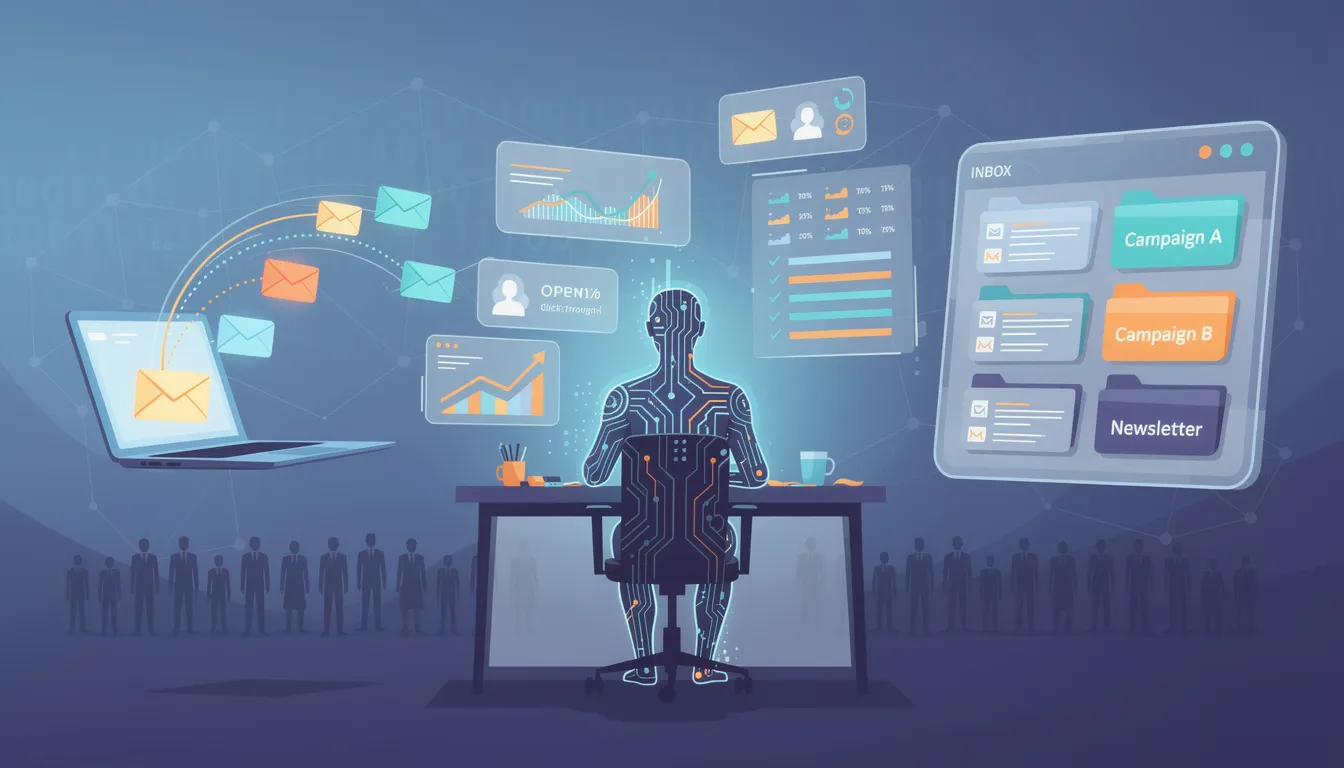
Using AI Across Your Campaign Assets Without Losing Cohesion
Email, landing pages, and social posts must all sound like they come from the same human—even if AI helps draft all three. Cohesion is what separates a polished campaign from a scattered mess, especially in client-facing materials where consistent messaging helps clients feel understood and valued.
Let’s walk through a campaign story. Say you’re running a July 2025 summer promotion for a small business, or an October 2025 fall fundraiser for a nonprofit. You use AI to draft the main email, the landing page hero copy, and the follow-up reminder. Without intentional coordination, each asset might use slightly different language, different promises, even different calls to action.
The fix is simple: keep consistent messaging by repeating the same core promise, using the same key phrase for the offer or donation impact, and reusing particular turns of phrase across assets. If your email says “Shop the summer sale—20% off through July 15,” your landing page headline and social posts should echo that exact phrase. Including real-world examples, customer case studies, and data in your messaging also helps build trust and authenticity.
You can even ask AI to adapt one master message into different formats: “Take this email intro and rewrite it as a short landing page heading, three social snippets under 100 characters each, and a post-send follow-up email.” This workflow saves time and keeps your story consistent.
Inside VerticalResponse, this looks like: draft your email in the editor, paste in AI-assisted copy, tweak for voice, then reuse snippets in sign-up forms and autoresponders. Your campaigns become modular, not siloed.
Where AI Shines: Research, Structure, and “Grunt Work” (So You Can Focus on Voice)
The least risky use of AI is behind-the-scenes help: research, summarizing, and planning. This is where AI can save time without putting your brand voice at risk.
Ask AI to summarize a 20-page industry report into 5 bullets for an educational email. Or turn survey results from your audience into key findings for a nonprofit newsletter. Need to outline a 4-email onboarding series for new subscribers? AI can sketch the arc in minutes, giving you something to react to instead of inventing from scratch.
Here’s a concrete example: say you’re preparing a small business newsletter in early 2025 and want to reference highlights from a 2024 local economic report. Paste the relevant sections into AI and ask it to “pull out three key takeaways relevant to small retailers.” Then rewrite those takeaways in your own words before publishing.
For nonprofits, the same logic applies. If you need to summarize your 2023 impact report for a spring appeal, let AI draft the summary—then fact-check it against your real data and rewrite for voice. AI helps with efficiency, but your words and your story are what make readers care.

Edit Like a Human: Turning AI Drafts Into Warm, Specific Campaign Copy
The real magic happens in editing, not in the first AI output. Most AI-generated text needs a firm human hand before it’s ready to send.
A simple editing pass checklist looks like this: strip clichés (“We’re thrilled to announce”), swap vague claims for concrete details (dates, numbers, locations), add a specific story or example, and inject your usual sign-off line. For email marketing, this means revising generic CTAs like “Learn more” into action-oriented ones like “Reserve your spot for our April 10 workshop.” Add a PS line that sounds like a real person—something a robot would never think to include. Careful editing also helps ensure your content can’t be easily flagged by AI detectors, making it appear more authentically human-written.
You can even ask AI to help punch up sections. Try: “Make this paragraph sound more like a 10-year shop owner talking to loyal customers.” Then review and tweak for accuracy. AI can suggest language; you decide what actually sounds right.
Before sending, preview your emails in VerticalResponse with images, preview text, and personalization fields. Confirm nothing feels automated or off-brand. That final check is what separates campaigns that connect from campaigns that get ignored.
A quick before/after example. The AI draft reads: “We are pleased to offer you an exclusive discount on our services this month.” After editing: “Hey—just a quick note to say thanks for being a customer. This month, you get 15% off anything in the shop. No code needed, just check out by April 30.”
The difference is emotional depth, conversational tone, and specifics. AI-generated content can be further enhanced by adding personal anecdotes and emotional depth to make it more relatable and engaging. That’s what makes readers act.
Staying Authentic: Ethical Use of AI in Small Business & Nonprofit Campaigns
Trust is everything in email marketing—especially for nonprofits, where donors expect honesty in every appeal. If you fabricate stories, exaggerate impact, or publish AI-generated stats without checking them, you risk more than a bad campaign. You risk your reputation.
A few ground rules: never let AI invent beneficiary stories or donor testimonials. Always fact-check any statistics AI produces against reputable sources with real publication dates. If AI suggests a claim you can’t verify, cut it.
Some organizations are adopting simple disclosure policies: “We sometimes use AI tools to draft, but real humans at [Organization Name] always approve and edit messages.” This isn’t legally required for most campaigns, but it signals transparency—and transparency builds trust.
For nonprofits specifically, ensure program descriptions, impact numbers, and beneficiary stories come from real reports and staff, not AI invention. The students you serve, the families you help—those stories matter too much to be made up.
Long-term list health depends on authenticity. Readers who feel manipulated unsubscribe. Readers who trust you stay—and act on your campaigns.
How VerticalResponse Fits Into an AI-Assisted, Human-First Workflow
VerticalResponse is the hub where your AI-assisted ideas become real campaigns with schedules, segments, and analytics. The platform doesn’t replace your judgment—it gives you the tools to bring your edited drafts to life.
A realistic workflow looks like this: draft copy with an AI assistant using the prompts and techniques above. Paste into a VerticalResponse email template. Personalize by segment—new vs. repeat customers, first-time vs. recurring donors. Then A/B test your human-edited subject lines to see what resonates.
Specific features make this easier. Use autoresponders and follow-up emails to build multi-step sequences. Create landing pages and surveys to validate which messages connect with your audience. Every campaign you send generates data—open rates, click-throughs, survey responses—that you can feed back into your prompts for future campaigns.
For example: “Write a subject line similar to our January 2024 campaign that had a 32% open rate—short, casual, with a question.” That’s how AI work improves over time. You’re not guessing anymore; you’re learning from your own results.

Checklist: Use AI, Keep Your Voice
Before you send your next campaign, run through these reminders:
- Always train AI on your real campaigns before asking it to write anything new.
- Never paste AI copy into VerticalResponse without editing for voice, specifics, and emotion.
- Add concrete details: dates, numbers, locations, and names that prove a real person is behind the message.
- Keep consistent phrasing across email, landing pages, and social posts—cohesion builds trust.
- Use AI for grunt work (research, outlines, summaries) and save your energy for the words that matter most.
- Fact-check any AI-generated claims before publishing, especially for nonprofit impact stories.
- Track results in VerticalResponse and feed your best-performing campaigns back into future prompts.
- Stay honest—readers can tell when you’re cutting corners, and authenticity isn’t something you can fake.
For more tips, follow these essential do’s and don’ts the next time you write a press release.
AI is now a permanent part of marketing stacks. That’s not going to change. But human voice, empathy, and clarity remain the reason people open your emails and act on your campaigns. The tools help you work faster—but your readers still want to hear from a person, not a robot.
Log into VerticalResponse, pick one campaign on your 2025 calendar, and test a limited, human-edited use of AI. Start with subject lines or a first-draft intro. Edit it until it sounds like you. Then send it—and watch what happens.
© 2026, Vertical Response. All rights reserved.




 Features
 Pricing
 Partner
 Blog
Blog Support
 More resources
 Terms of Services
 Privacy Policy