The Inbox Has Seasons Most Marketers Ignore Them

Most marketers treat the inbox like a static billboard—same approach in January as July, same cadence in March as November. But the inbox has seasons most marketers ignore them, and this blind spot costs real money. This article is for email marketers, digital marketing managers, and business owners looking to improve their campaign results by understanding and leveraging inbox seasonality. We’ll cover the major annual and weekly inbox seasons, how to identify your own seasonal patterns, and actionable steps to adapt your email marketing strategy.
Inboxes behave in predictable cycles across the year, quarter, month, and even week. Seasons in email marketing represent predictable shifts in consumer behavior driven by holidays, events, or lifecycle changes. These aren’t just the obvious retail holidays like Black Friday or Christmas. They’re subtler rhythms driven by how people actually live: school calendars, tax deadlines, paydays, vacation windows, and corporate planning cycles.
Here’s the problem: while 59% of marketers cite email as their highest-ROI channel, a significant portion only plans around obvious peaks and completely ignores the quieter but equally valuable inbox windows. Email marketing can provide a high return on investment, with some estimates suggesting an ROI of $36-40 for each dollar spent.
This blog post will show you:
- How to map the four major annual inbox seasons and dozens of micro-seasons throughout the year
- Why engagement, open rates, and email deliverability shift dramatically based on when you send
- How to adjust your email marketing strategy to win attention when competitors are either invisible or shouting at the wrong time
- A practical 90-day plan to “seasonalize” your entire email program for 2025 and beyond
Email marketing is a key channel within digital marketing strategies, allowing businesses to engage audiences directly and measure ROI. Most of the best email marketing services offer a free plan or trial, making it easy for businesses to get started without a large upfront investment.
Whether you’re running email marketing campaigns for an online store or managing B2B customer engagement, understanding inbox seasonality will reshape how you plan your marketing efforts.
Why the Inbox Behaves Like a Changing Season (and Not a Static Channel)
The inbox isn’t a neutral container. It’s shaped by human routines that repeat with surprising consistency year after year. Inbox seasonality refers to the way email engagement patterns change throughout the year, month, and week, influenced by both major events and everyday routines. These patterns are not random—they are driven by the real lives of your subscribers.
Think about it:
- Your subscribers don’t live in a vacuum.
- They have school-age kids with academic calendars.
- They pay bills on specific dates.
- They take vacations in predictable windows.
- They face quarter-end deadlines at work.
All of these rhythms influence when they open emails, what they’re willing to read, and whether they’ll click.
Understanding the customer journey—from initial engagement, problem identification, and email communication, to final resolution—can help marketers optimize each step of their email communication for better engagement and satisfaction.
The Three Levels of Inbox Seasonality
Inbox seasonality operates on three distinct levels:
- Annual cycles:
- Q4 holiday surge where promotional emails flood every inbox
- Q1 “reset” energy when people are open to new approaches
- Summer slowdowns when vacation mode reduces weekday engagement
- Monthly cycles:
- Bill-pay weeks when credit card statements arrive
- Payroll cycles (1st and 15th, or end of month) when disposable income is highest
- Month-end reporting pressure in B2B contexts
- Weekly and daily cycles:
- Monday catch-up and triage behavior
- Tuesday-Wednesday peak focus windows
- Friday fatigue and weekend planning modes
- Sunday evening preparation for the week ahead
These patterns directly impact your email marketing efforts. When engagement spikes or slumps, your sender reputation shifts. Email service providers like Gmail and Outlook notice. Consistent low engagement during noisy seasons can push your marketing messages into the spam folder for months afterward.
Spam filters can negatively impact deliverability by detecting and blocking unwanted or suspicious emails, especially if proper email authentication and list hygiene are not maintained. Using dedicated email marketing tools ensures that your campaigns are delivered without being flagged as spam, unlike personal email services.
The late November 2025 inbox and the late February 2025 inbox are two completely different environments. Treating them identically is like wearing the same outfit to a beach day and a blizzard.
Transition: Now that you understand why inbox seasonality matters, let’s explore the overlooked benefits of aligning your email marketing with these natural rhythms.
The Overlooked Benefits of Email Marketing in a Seasonal World
Many businesses underestimate just how much a well-timed email marketing strategy can transform their results during seasonal peaks and valleys.
While social media and paid ads often get the spotlight, email marketing remains the most direct and cost-effective way to reach your target audience—especially when their attention is shaped by the rhythms of the year.
A smart approach to email marketing campaigns allows you to deliver targeted messages that feel timely and relevant, not just generic blasts. By using email marketing software to segment your audience and personalize content, you can tap into the specific needs and moods of each season. This level of precision is nearly impossible to achieve with other marketing tools.
Examples:
- A retail brand can use advanced email marketing strategy to send exclusive early-access offers before major holidays.
- A B2B company can nurture leads with planning resources right as fiscal year-end approaches.
These targeted messages not only boost sales but also deepen customer engagement, building loyalty that lasts beyond a single campaign.
Seasonal marketing isn’t just about capitalizing on obvious holidays. It’s about understanding when your audience is most receptive and using your email marketing platform to deliver value at just the right moment. With the right email marketing software, you can automate these campaigns, track performance, and continually refine your approach for even better results.
Ultimately, the overlooked benefit of email marketing in a seasonal world is its ability to put your brand in the right place at the right time—consistently. By aligning your marketing strategy with the natural cycles of your audience, you’ll not only boost sales during peak periods but also maintain strong customer engagement all year long.
Transition: To fully leverage these benefits, it’s essential to understand the annual patterns that shape inbox behavior.
The Four Big Annual Inbox Seasons Marketers Should Map First
Before you fine-tune send times or obsess over subject lines, step back and understand the macro patterns that shape inbox behavior across the entire year.
Most Western and North American audiences follow four predictable annual seasons. The exact dates shift by industry and region, but these arcs show up reliably in email performance data.
Macro and Micro Seasons: Definitions
|
Type |
Definition |
Examples |
|---|---|---|
|
Macro Seasons |
Macro Seasons are high-volume periods like Black Friday, Cyber Monday, Christmas, and New Year characterized by intense competition and a high-urgency buying mindset. |
Black Friday, Cyber Monday, Christmas, New Year |
|
Micro Seasons |
Micro Seasons are smaller triggers such as specific days of the week for B2B and weekends for B2C. |
B2B: Tuesday/Wednesday; B2C: weekends, paydays, back-to-school, etc. |
|
Season |
Months |
Primary Inbox Mood |
|---|---|---|
|
Reset & Regret |
January–March |
Aspiration fading into practicality |
|
Planning & Prep |
April–June |
Forward-looking, decision-ready |
|
Escape & Experiment |
July–September |
Distracted but open to new ideas |
|
Chaos & Commerce |
October–December |
Overwhelmed, urgency-driven |
Advanced segmentation allows marketers to deliver more relevant deals and shipping options by categorizing subscribers into specific groups.
Understanding these four seasons helps you design email campaigns that work with subscriber psychology instead of against it. Ignoring seasonal trends in email marketing risks significant revenue loss and brand irrelevance due to consumer expectations for timely communication. Higher conversion rates during peak seasons can drive business growth by increasing sales and customer engagement.
Let’s break down each one.
Q1: Reset & Regret (January–March)
Early January: Reset Energy
January 2nd through January 15th follows a distinct emotional arc that most marketers only capture in the first two weeks.
People return from holiday breaks ready to improve. Open rates spike for emails about productivity, organization, wellness, and “fresh start” themes. This is the window where aspirational messaging actually works.
Late January–February: Regret and Reality
Credit card statements from holiday spending arrive. Tax prep anxiety builds. Resolutions start failing. The inbox mood shifts from “new me” to “help me cope.” This is when practical, problem-solving content outperforms aspirational fluff.
March: Decision-Making Mode
B2B buyers start thinking about Q2 budgets. Travel planning picks up. People are ready to commit, but they want clear value propositions, not vague promises.
Categories That Perform Well in Q1
- Fitness and wellness (but pivot from aspiration to practical tips by late January)
- Finance and tax services
- Organization and productivity tools
- B2B strategy and planning content
Common Mistakes Marketers Make in Q1
- Extending “New Year, New You” promos past January 15 when inbox fatigue sets in
- Ignoring tax-season anxiety windows for SaaS and finance brands
- Disappearing in February when subscriber attention is actually available
Tactical Guidance for Q1
- Adjust your subject lines as the season progresses. Early January calls for aspirational hooks like “Start 2025 strong.” By March, shift to practical outcomes: “Lower your Q2 software costs before March 31, 2025.”
- Your email marketing platform likely shows a dip in opens around mid-January. That’s not a sign to stop sending—it’s a signal to change your message.
- Consider sending a survey email during the quieter February window to gather valuable customer feedback and show subscribers that you value their opinions.
- When evaluating Q1 performance, monitor your list growth rate to measure how quickly you’re acquiring new subscribers during this season.
Q2: Planning & Prep (April–June)
Early April: Tax Deadline Pressure
In the U.S., April 15 crowds inboxes with official notices, financial reminders, and last-minute tax software pitches. Your marketing emails compete with transactional messages and government correspondence. Cut through by being genuinely useful, not just promotional.
Late April–May: Future-Oriented Planning
Summer vacation planning kicks in. Conference registrations open. Major projects get greenlit for Q3. People are receptive to “prep now for later” messaging.
This is an ideal time to use invite emails to announce and promote upcoming events, webinars, or product launches, increasing engagement and awareness. Pair these campaigns with dedicated landing pages to capture leads and support list growth during event promotions.
June: Split Attention
Subscribers are finishing Q2 goals while mentally drifting toward summer. Heavy educational content doesn’t land well. Keep it light and action-oriented.
Categories That Thrive in Q2
- Travel and hospitality
- Event and conference promotions
- Education and online courses
- B2B tools promising “Q3 readiness”
Subject Line Styles That Work
- “Your Q3 2025 content calendar (free template)”
- “Prep your skin for summer in 10 minutes”
- “Before you go on vacation, automate this one thing”
Missteps to Avoid in Q2
- Sending heavy “learn this huge thing” content in late June
- Forgetting to build pre-season interest lists for July–August launches
- Ignoring the opportunity to help subscribers plan ahead
Q3: Escape & Experiment (July–September)
July through September is the inbox season many businesses ignore—and that’s exactly why it can be your biggest opportunity.
July: Vacation Mode
Weekday opens often dip as people check out. But Sunday evening engagement spikes as people plan their upcoming week. Many businesses stop sending altogether, which means less competition for your message.
Micro Seasons are smaller triggers such as specific days of the week for B2B and weekends for B2C.
These Sunday evening spikes are examples of Micro Seasons.
Data from industry studies shows that July–August can see up to 30% higher engagement rates simply because inbox volumes drop. Fewer brands are sending, so your email marketing software can achieve better inbox placement. High engagement during this period can also enhance customer loyalty by fostering a stronger connection with your brand.
August: Back-to-School and Back-to-Work
Mid-August through early September brings a shift. Parents are focused on school prep. Professionals start thinking about what they need to accomplish before year-end. “Back-to-work” energy creates openings for productivity tools, SaaS renewals, and planning content.
September: Urgency Returns
People suddenly realize how little of 2025 is left. B2B buyers face Q3 close pressures. Consumers start thinking about fall and holiday plans. The inbox gets busier, but attention is focused.
Overlooked Opportunities in Q3
- Launch new email formats (interactive content, experiments) in mid-July when competition is lowest
- Run “reset before Q4” offers in late September
- Use the Labor Day weekend (September 2025) as a natural transition point
- Send cart abandonment emails to remind customers of items left in their online shopping carts and encourage them to complete their purchases

Contrast to Keep in Mind
The mid-July inbox is quiet and receptive. The late August inbox is noisy with back-to-school campaigns. Adjust your email strategy accordingly. If you’re sending the same campaign to new subscribers in both windows, you’re leaving performance on the table.
Q4: Chaos & Commerce (October–December)
Q4 is the season every marketer thinks about—and the one most get wrong.
October: The Planning Window
Early October is one of the most underrated inbox seasons. Competition is still relatively low, but customers are actively researching what they’ll buy in November. This is when smart brands build anticipation instead of waiting for the crowd.
November: Promotional Overload
From Singles’ Day (November 11) through Cyber Monday (December 1, 2025), inboxes are overwhelmed. Open rates for promotional emails often drop below 20% because people are simply deleting or skimming. Most messages never get read.
December: Fatigue and Last-Minute Urgency
Early December sees post-deal exhaustion. But service-focused emails—shipping updates, gift guides with real deadlines, helpful reminders—actually outperform. Late December (after Christmas) is surprisingly quiet, creating another window for “year in review” and “plan your 2026” content.
Specific Q4 Dates for 2025
- Black Friday: November 28, 2025
- Cyber Monday: December 1, 2025
- Last shipping cutoff dates: typically December 18–20 for standard ground
Tactical Ideas for Q4
- Move flagship product launches to early October 2025 instead of Black Friday week
- Use the first 10 days of October for your strongest offers when competition is lowest
- Send December 26–30 emails focused on planning and reflection when inbox volume drops
Ignored Pockets of Q4 Opportunity
- First two weeks of October (low competition, high research intent)
- Early December service emails (shipping updates, curated gift guides)
- December 26–31 (inbox is quiet, people are reflective and planning)
Many businesses spend all year planning for Black Friday week, then wonder why their results plateau. The real opportunity is in the ignored pockets before and after the chaos.
Transition: Beyond annual cycles, weekly and daily micro-seasons also play a crucial role in inbox engagement.
The Weekly “Micro-Seasons” of the Inbox Most Brands Overlook
Every week contains its own repeatable patterns that function like mini-seasons. Ignoring them means optimizing send times based on generic advice instead of actual subscriber behavior.
Definition: Micro Seasons are smaller triggers such as specific days of the week for B2B and weekends for B2C.
Typical Weekly Pattern
|
Day |
Inbox Behavior |
What Works |
|---|---|---|
|
Monday |
Backlog triage; people clear newsletters fast |
Brief, essential messages; avoid fluff |
|
Tuesday |
Peak focus; decision-making window |
Important offers, substantive content |
|
Wednesday |
Continued focus; productivity mode |
Educational content, detailed guides |
|
Thursday |
“Near weekend” energy; planning mode |
Lighter content, previews for upcoming offers |
|
Friday |
Low attention; quick wins wanted |
Short and entertaining; avoid heavy asks |
|
Saturday |
Personal time; erratic engagement |
Varies by niche; test carefully |
|
Sunday |
Planning and reflection mode |
Thought leadership, weekly recaps, planning tools |
The “best send time” advice you’ve read is based on aggregated data across many businesses. Your target audience has its own rhythms. A newsletter might perform dramatically differently at Monday 9am versus Sunday 7pm for the same subscriber list.
Segment Your Sends by Behavior
- Transactional messages and critical updates early in the week when people are in work mode
- Lead nurturing emails mid-week when attention is highest
- Long-form education, recaps, and planning content on Sunday evenings when people are preparing for the week ahead
Special Micro-Seasons: Paydays, Month-Ends, and Quarter-Ends
Financial cycles are powerful but underused inbox seasons. They affect buying behavior more than most marketers realize.
Payday Windows
- 1st and 15th of each month (or last working day) for many employers
- Bonus periods (often Q4 or end of fiscal year)
- Higher willingness to purchase discretionary items
Month-End Billing Cycles
- Credit card statements arrive
- SaaS invoices land in inboxes
- Subscribers become more price-sensitive and aware of “subscription bloat”
Quarter-End Urgency
- B2B buyers have “use it or lose it” budget pressure
- Sales teams push for closes
- Decision-makers are receptive to time-limited offers
- These periods are critical for moving subscribers through the sales funnel, as urgency and budget deadlines drive faster decision-making and conversions.
Tactical Examples
- For SaaS businesses: Test upgrade offers the week before quarter-end with specific language like “Lock in 2025 pricing before June 30, 2025.”
- For DTC brands: Align bigger ticket promotions to payday windows rather than arbitrary mid-month dates when cash flow is tighter.
Sample Micro-Calendar for a Single Month (June 2025)
|
Week |
Key Dates |
Email Focus |
|---|---|---|
|
Week 1 (June 1–7) |
Payday window (1st) |
Bigger ticket offers, upgrade campaigns |
|
Week 2 (June 8–14) |
Mid-month focus |
Educational content, value-adds |
|
Week 3 (June 15–21) |
Payday window (15th) |
Promotional push, limited-time offers |
|
Week 4 (June 22–30) |
Quarter-end (June 30) |
B2B urgency campaigns, “last chance” pricing |
Tracking customer lifetime value (CLV) during these cycles helps you understand the long-term revenue impact of campaigns that are aligned with financial seasons.
Transition: To make these patterns actionable, you need to discover your own brand’s unique inbox seasons using your data.
How to Discover Your Own Inbox Seasons Using Your Data
The patterns in this article reflect common Western calendars. But your brand has unique inbox seasons depending on your audience, vertical, and geography.
Steps to Uncover Your Own Seasonal Patterns
Step 1: Export Your Data
- Pull 12–24 months of email performance data from your email marketing platform.
- Include opens, clicks, conversions, unsubscribes, and revenue per send if available.
- Use detailed reporting features in your platform to analyze performance trends and identify key metrics over time.
Step 2: Plot by Time Period
- Create a simple spreadsheet or use your email marketing software’s reporting features to plot metrics by:
-
Month of year
-
Week of month
-
Day of week
- Month of year
- Week of month
- Day of week
- For a complete view, include web pages and website performance data alongside your email metrics to understand how email drives user behavior across your digital properties.
- Look for recurring peaks and troughs. Where do opens consistently spike? When do unsubscribes cluster?
Step 3: Overlay Real-World Events
- Mark your product launches, sales, industry events, and external factors (economic changes, competitor activity).
- See which performance shifts align with predictable calendar events versus one-time occurrences.
Step 4: Analyze by Segment
- Compare behavior across different subscriber groups:
-
New subscribers versus loyal customers
-
Different geographic regions (U.S. school calendars differ from European ones)
-
Customers acquired during different seasons
- New subscribers versus loyal customers
- Different geographic regions (U.S. school calendars differ from European ones)
- Customers acquired during different seasons
Key Metrics to Watch for Seasonal Patterns
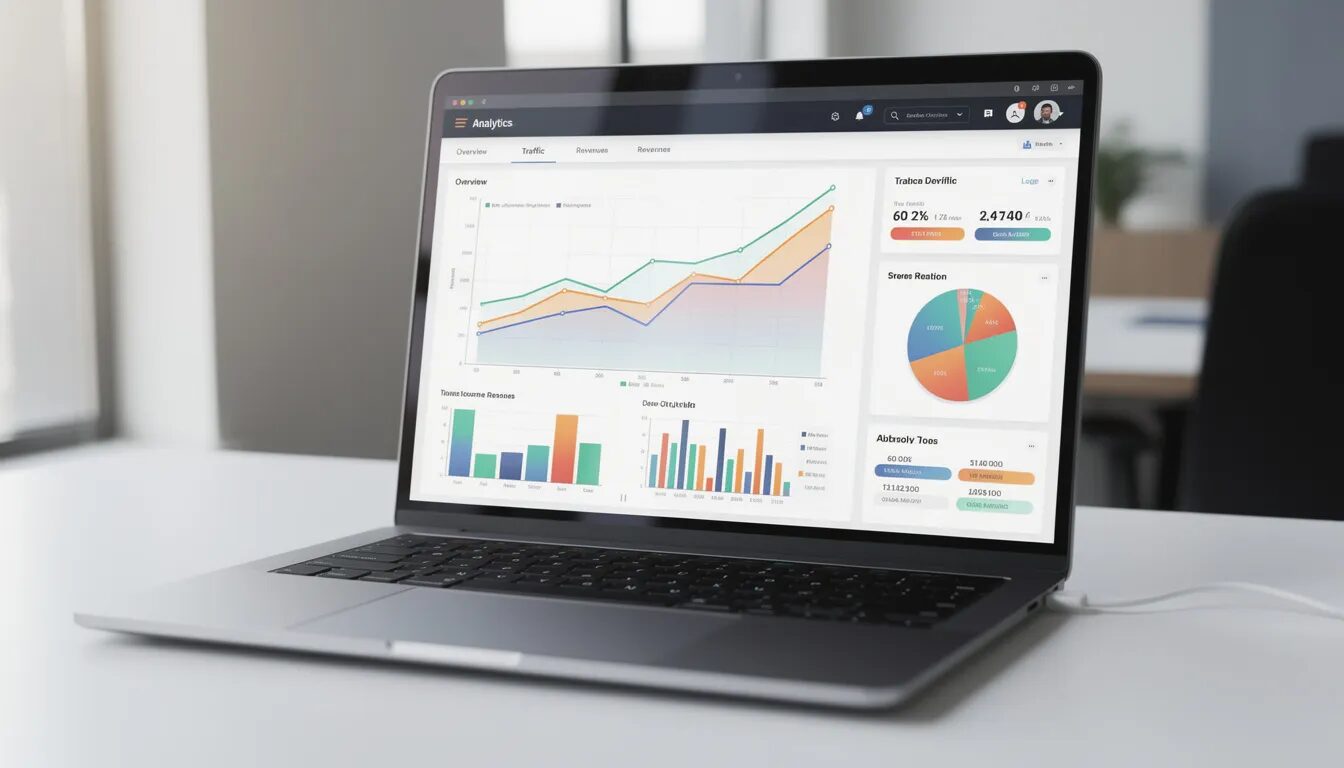
- Open rate by month (spot when attention is highest)
- Click-through rate by week (find your action windows)
- Conversion rate by time period (identify buying seasons)
- Unsubscribe rate by month (see when fatigue hits)
These KPIs aren’t static benchmarks. They’re lenses for spotting your unique seasonality.
For more on analyzing email seasonality, check out these additional resources: guides on advanced email analytics, blog posts about using segmentation in your email tool, and tutorials on integrating web page data with email performance.
Building a Simple “Seasonality Calendar” for Your Email Program
Steps to Create Your Seasonality Calendar:
- Open a spreadsheet or project tool with 12 columns (one per month).
- Mark the four macro seasons from this article (Q1 Reset, Q2 Planning, Q3 Escape, Q4 Chaos).
- Add industry-specific dates: trade shows, product launches, regulatory deadlines, academic calendars.
- Add financial cycles relevant to your audience: paydays, billing cycles, quarter-ends.
- Note your own historical performance peaks and troughs from your data analysis.
When managing your seasonality calendar, having access to phone support can be invaluable for troubleshooting issues and optimizing your campaigns in real time. Additionally, choosing a platform that offers unlimited contacts allows you to scale your campaigns across different seasons without worrying about list size restrictions.
Color-code your calendar:
- Green = High-opportunity, low-competition inbox weeks (early October, mid-July, late January)
- Yellow = Normal competition, standard approach
- Red = High-competition, noisy weeks where only your best offers are worth sending (Black Friday week, early December)
Review and update this calendar quarterly using your latest KPI data. Your assumptions will sharpen over time.
Transition: With your seasonality calendar in hand, you can now design campaigns that fit each season for better customer engagement.
Designing Campaigns That Fit Each Season for Better Customer Engagement (Instead of Fighting Them)
Your message, offer, format, and cadence should change with inbox season. A January campaign shouldn’t look like a November campaign.
When designing campaigns for each season, using a drag and drop editor makes it easy to create visually appealing emails, even for those with little technical experience. Many free email marketing services offer essential features like landing pages, forms, and basic automation, but often come with a limited free plan that restricts the number of emails or subscribers and may include platform branding. However, some platforms provide a generous free plan, which is especially valuable for new businesses or creators looking to grow their email list without upfront costs. As your campaigns scale, paid plans start at various price points and unlock additional features such as advanced automation, higher email volume, and enhanced analytics. These flexible options are particularly beneficial for small business owners seeking affordable, user-friendly solutions to manage their seasonal campaigns.
Key Levers to Adjust by Season
|
Lever |
Low-Competition Seasons |
High-Competition Seasons |
|---|---|---|
|
Frequency |
More sends, deeper nurturing |
Fewer sends, higher impact |
|
Content length |
Longer, educational |
Short, action-focused |
|
Emotional angle |
Aspirational, exploratory |
Urgent, practical |
|
Offer structure |
Value-adds, bundles, education |
Clear discounts, time limits |
Campaign Examples Tied to Specific Dates
- January 2025: “Reset kits” and planning checklists for productivity-focused subscribers. Subject lines like “Your 2025 marketing plan starts here.”
- Late August 2025: “Back-to-work bundles” for productivity tools. Focus on getting organized before Q4 chaos. Use welcome emails for new subscribers joining during back-to-school promotions.
- Early October 2025: “Buy before Black Friday chaos” campaigns. Pitch early access and avoiding the November rush. This is when your signup form should be working hardest to capture holiday shoppers.
- December 26–30, 2025: “Year in review” and “Plan your 2026” emails when most competitors go silent. These can drive surprising engagement from subscribers in planning mode.
Adjusting Subject Lines and Creative to Seasonal Inbox Moods
Subject lines that work in May might flop in November. Seasonal mood should drive your approach.
Q1 Subject Line Style (January–March): Hopeful, Future-Oriented, Clear Outcomes
- “Build a 2025 marketing plan in 30 minutes”
- “The one habit that makes Q1 easier”
- “Before tax season: automate this one thing”
Q2 Subject Line Style (April–June): Planning-Focused, Forward-Looking
- “Your summer content calendar (free template)”
- “Prep now, relax later”
- “Q3 starts in 90 days—here’s your head start”
Q3 Subject Line Style (July–September): Light, Playful, Experimental
- “Try this 10-minute experiment before summer ends”
- “A weird trick for Q4 readiness”
- “Back from vacation? Start here”
Q4 Subject Line Style (October–December): Value-Dense, Time-Specific, Urgent
- “Only 48 hours left for 2025 shipping cutoffs”
- “Before Black Friday: early access inside”
- “Your December deadline tracker”
Straightforward announcement emails often do just that: share important updates or news directly, which can be highly effective when the message is clear and timely.
Avoid these seasonal clichés:
- “New Year, New You” after January 10 (everyone else is still using it)
- “Last chance” every day of Cyber Week (it loses all meaning)
- Generic “happy holidays” without any value or action
Test CTOR (click-to-open rate) by season, not just as an annual average. B testing different approaches in different seasons reveals what actually resonates when.
Cadence, Email Deliverability, and List Hygiene by Season
Send frequency and list cleaning should align with seasonal engagement patterns.
Use Quieter Months for Maintenance
- July and early October are ideal for re-engagement campaigns
- Run “do you still want to hear from us” sequences in early February when inbox competition is low
- Prune inactive subscribers before noisy seasons to protect sender reputation
Platforms like Constant Contact offer robust automation and list hygiene features, making it easier to schedule re-engagement campaigns and automatically clean your list based on subscriber activity.
Adjust Frequency by Season
|
Season |
Suggested Approach |
|---|---|
|
Pre-peak (early October) |
Increase cadence to build anticipation |
|
Peak chaos (late November) |
Decrease volume, increase relevance |
|
Post-peak (January) |
Gradual ramp-up as inbox clears |
|
Quiet periods (July, February) |
Maintain presence with valuable content |
Protect Your Deliverability
- High unsubscribe rates during noisy seasons can damage sender reputation for months
- Cleaning invalid email addresses before major campaigns improves inbox placement
- Advanced automation features in most email marketing services can trigger cleanup sequences automatically
Ignoring seasonal list hygiene is how brands end up in the spam folder by February, wondering what went wrong.
Transition: Avoiding common mistakes is just as important as following best practices. Let’s look at the pitfalls to watch for.
Common Mistakes Marketers Make About Inbox Seasonality
Even experienced marketers fall into these traps. Recognizing the patterns helps you avoid them in your 2025 campaigns.
Mistake 1: Treating Every Week as Identical
Optimizing only subject lines and send times while sending the same type of content in the same cadence year-round. The inbox in July is not the inbox in November.
Mistake 2: Copying Generic Holiday Calendars
Using pre-built “email marketing calendar” templates without checking your own data. Your audience’s seasons may not match industry averages.
Mistake 3: Over-Emailing During Noisy Periods
Sending more when everyone else is also sending more. This leads to spam filter problems and subscriber fatigue right when you need engagement most.
Mistake 4: Disappearing During Quiet Windows
Going silent in July or February because “no one’s buying.” These are often your highest-engagement opportunities because competition is low.
Specific Examples of Seasonal Mistakes
- Launching a major new product during Black Friday week 2025 when it will be buried under thousands of promotional emails
- Pushing long educational sequences in late December when people just want clear actions or to be left alone
- Extending New Year campaigns past January 15 when “resolution fatigue” sets in
- Running the same automated workflows regardless of seasonal context
Concrete Consequences of Ignoring Seasons
- Higher spam complaints in Q4 that hurt deliverability into Q1
- Declining engagement that looks like list decay but is actually seasonal mismatch
- Misleading KPIs that don’t account for predictable seasonal dips
Relying on Generic “Best Send Time” and Ignoring Your Own Audience Rhythms
Many email marketing providers offer “optimal send time” features based on aggregate data. These tools are starting points, not answers. In fact, many providers now include send time optimization tools even on their free plan, making this feature accessible to small businesses and startups.
Problems with Generic Timing Advice
- Based on averages across diverse industries and audiences
- Doesn’t account for your specific subscriber behavior
- Ignores seasonal variations in when your audience is receptive
A Better Approach
- Use best tools and platform recommendations as initial hypotheses.
- Layer in your own seasonal findings from data analysis.
- Segment tests by cohort—customers who joined in Q4 may have different rhythms than those who joined in Q2.
- Watch CTOR and conversion rate by day-of-week and week-of-month.
Your email service provider can tell you industry averages. Only your own data tells you when your audience’s inboxes are open and receptive.

Transition: Now, let’s put all these insights into a practical, step-by-step plan for your next quarter.
Putting It All Together: A 90-Day Plan to “Seasonalize” Your Email Marketing Strategy
Here’s a practical implementation roadmap. Adjust the specific dates for your current quarter.
Step 1: Audit Your Historical Data (Days 1–7)
- Pull 12–24 months of email performance from your email marketing platform.
- Plot opens, clicks, conversions, and unsubscribes by month.
- Note obvious seasonal spikes and drops.
- Document your initial observations.
- Send a survey email to your subscribers to gather feedback on their preferences and experiences; use clear, concise questions and consider offering an incentive to boost response rates.
Step 2: Build Your Seasonality Calendar (Days 8–21)
- Create your 12-month calendar using the template from this article.
- Mark the four macro seasons and color-code competition levels.
- Add industry-specific dates and financial cycles.
- Overlay your historical performance patterns.
Step 3: Redesign Upcoming Campaigns (Days 22–45)
- Review planned campaigns for the next two seasons.
- Adjust subject lines to match seasonal mood.
- Modify content length and format based on inbox context.
- Plan cadence changes for quieter and noisier periods.
Step 4: Run Seasonal A/B Tests (Days 46–90)
- Test Sunday versus Tuesday sends in summer months.
- Test practical versus aspirational messaging as seasons shift.
- Compare performance by day-of-week and week-of-month.
- Document findings for future seasonal planning.
Ongoing Practices
- Review your seasonality calendar quarterly with fresh data.
- Update assumptions based on test results.
- Adjust marketing automation and automated emails to reflect seasonal context.
- Use advanced email automation to trigger season-appropriate sequences.
Transition: By following this plan, you’ll be ready to treat your subscribers’ inbox as a living environment, not a static billboard.
Conclusion
The inbox has seasons most marketers ignore them—and that ignorance leaves real money and attention on the table.
Subscribers don’t experience your emails in a vacuum. They experience them in the context of everything else arriving in their inbox, everything happening in their lives, and every seasonal rhythm that shapes their attention and buying behavior.
Key Takeaways
- Four macro seasons (Q1 Reset, Q2 Planning, Q3 Escape, Q4 Chaos) create predictable annual patterns in inbox behavior.
- Weekly micro-seasons from Monday triage to Sunday planning affect when content lands.
- Financial cycles (paydays, month-ends, quarter-ends) influence buying readiness and price sensitivity.
- Your own data contains unique seasonal patterns specific to your audience and vertical.
- Campaign design (subject lines, cadence, content format) should adapt to season, not fight it.
The brands that consistently win in email marketing are the ones treating the inbox as a living environment with rhythms and seasons—not a static channel where the same approach works year-round.
Your action for this week:
Pull your last 12 months of email open and revenue data. Plot it by month. Look for the peaks and valleys. Your seasons are already there—you just haven’t mapped them yet.
Once you see the patterns, you’ll never send blind again. And your marketing strategy will finally match the reality of how people actually use their inboxes.
For further learning about inbox seasonality and email marketing best practices, check out the additional resources linked below.
© 2025, VerticalResponse. All rights reserved.






 Features
 Pricing
 Partner
 Blog
Blog Support
 More
More Terms of Services
 Privacy Policy