
The Complete Guide to Productivity: From Individual Focus to National Growth

Productivity determines whether your team ships campaigns on schedule or scrambles to catch up. It shapes whether your small business grows sustainably or burns through resources. And at scale, it influences whether entire economies raise living standards or stagnate. This guide breaks down productivity across all three levels—individual, team, and national—with practical frameworks you can apply starting today.
Key Takeaways
- Productivity operates at three interconnected levels: individual output per hour, team alignment toward shared goals, and national economic performance measured as GDP per hour worked. In 2026, hybrid work (58% of knowledge workers split time between office and remote) and AI tools make understanding all three levels essential.
- The best productivity tool is the one that reliably saves hours per week and moves clear business metrics—revenue, leads, campaigns shipped—not the app with the most features or newest interface. For small businesses and nonprofits, this means prioritizing tools that reduce friction in core workflows, with the benefit of streamlining processes and the ability to adapt to different workflows or user needs.
- VerticalResponse’s email marketing and automation platform improves team productivity by consolidating email marketing, surveys, and landing pages into one platform, automating follow-ups and reporting so small teams can compete without adding headcount.
- Productivity tools such as note taking apps, time tracking software like Toggl Track, and focused email platforms work best when combined into a simple, integrated workflow rather than scattered across multiple overlapping apps.
- This article connects personal habits to team workflows to national trends, then closes with a 30-day action plan and practical FAQ covering tool selection, ethical tracking, and marketing automation.
What Is Productivity? A 2026 Perspective
Productivity is output per unit of input. A small café that increases daily orders from 200 to 300 without hiring additional staff has achieved a 50% productivity gain. A marketing team that ships six campaigns per month instead of three—using the same hours—has doubled their production efficiency.
The difference between being “busy” and being productive comes down to outcomes. A marketer sending 50 untracked emails might feel active but sees 2% open rates. One targeted campaign with personalization hits 35% opens and 5% conversions. The second approach produces measurable results; the first creates activity without impact.
How digital tools reshaped productivity since 2020:
- Hybrid work now dominates, with 58% of knowledge workers splitting time between office and remote settings
- AI tools with advanced AI features such as task automation and workflow optimization yield 14% productivity gains for novices (per MIT/Stanford research on 5,000 customer support agents)
- DeskTime’s 2025 study of 3,500 workers shows productive employees now average 112-minute work blocks with 26-minute breaks
- Video meeting fatigue cut deep work by 20% in 2021, pushing teams toward asynchronous tools
Digital tools have made it easier than ever to stay organized and efficient. The convenience of using built-in device tools like calendars and reminders allows for seamless personal organization and collaboration without extra downloads or learning curves.
Consider “Bay Area Food Bank,” a fictional VerticalResponse customer: by automating donor welcome emails and event follow-ups, they cut manual hours by 60% and raised $15,000 in quarterly donations without adding staff.

Individual Productivity: Foundations, Habits, and Tools
Individual productivity forms the foundational layer for all other productivity. Solo founders and knowledge workers drive roughly 70% of small business value, according to Deloitte’s Productivity+ analysis. When individuals aren’t optimized, teams bottleneck regardless of how many tools they deploy.
Key Daily Practices
- Time blocking: Reserve 4-hour focused blocks for important tasks. Research shows these yield 2-3x output versus fragmented days.
- Focused work sprints: DeskTime data reveals 112-minute work sessions followed by 26-minute breaks outperform the older 52/17 pattern.
- Structured breaks: The Zeigarnik Effect (from 1920s psychology research) shows that writing incomplete tasks on a to-do list reduces cognitive load by approximately 30%.
- End-of-day review: Spend 10 minutes logging wins, blockers, and tomorrow’s priorities.
Daily goal setting can significantly enhance productivity by providing a clear direction for the day, which fosters a more focused mindset and delivers the benefit of improved clarity and motivation. Implementing a daily mindfulness practice, such as deep breathing or silent meals, can train the brain to stay focused on tasks, thereby boosting productivity.
Building Habits
One often-overlooked strategy: adopting a single-tasking approach, rather than multitasking, leads to better focus and higher quality work. Studies by Rubinstein et al. found task-switching reduces efficiency by 40% due to cognitive bottlenecks—and refocusing after an interruption takes 30-60 seconds each time. For most people’s workflows, single-tasking simply makes sense and aligns with natural cognitive patterns.
For note taking best practices, use Google Docs or Notion with a standard template: “Campaign Brief: Goal | Audience | Metrics | Tests.” These tools offer the ability to customize templates or features for different working styles, enabling 50% faster retrieval when you need past work.
Toggl Track is a time tracking tool that helps users monitor how they spend their time on various tasks and projects, providing insights through detailed reporting features. Weekly reports from tools like Toggl Track often reveal that 20-30% of time goes to low-value admin work—insights that enable cuts yielding 10-20% productivity gains.
Fostering neuroplasticity by performing tasks with the non-dominant hand can enhance problem-solving skills and adaptability, contributing to improved productivity over time.
When building habits, some people use money as a motivator—such as committing to a donation or financial stake if they don’t follow through—which can increase accountability and habit formation.
Minimal Personal Stack
| Category | Tool | Purpose |
|---|---|---|
| Calendar | Google Calendar | Time blocking, scheduling |
| Note taking | Notion or Google Docs | Campaign briefs, meeting notes |
| Task list | Todoist | Daily priorities, project tracking |
| Time tracking | Toggl Track | Weekly audits, identifying waste |
| Minimal personal stacks are especially useful for those with limited time or resources, as they focus on essential tools that form the core of an effective workflow. Todoist is a popular productivity tool that offers features like lists, kanbans, and a time-blocking calendar view, making it suitable for various working styles. More apps rarely equal more productivity—a minimal stack outperforms app overload every time. |
|
|
If you’re feeling bogged down by app overload, trying new tools can provide a motivation boost and help you discover more efficient ways to stay organized.
Designing a Personal Workflow That Actually Sticks
Map your typical workday (9:00–17:00) into 3-4 distinct blocks that create a workflow making sense and easy to follow:
| Time | Block Type | Example Activities |
|---|---|---|
| 9:00–10:30 | Deep work | Copywriting, campaign strategy |
| 10:30–12:00 | Admin/comms | Email, Slack, scheduling |
| 13:00–15:00 | Execution | Building campaigns, design review |
| 15:00–17:00 | Learning/review | Analysis, skill development |
- Link habits to triggers rather than relying on willpower alone. Reserve the first 90 minutes of the day for deep work before checking email or Slack. Slack’s 2023 survey of 10,000 workers found that trusted routines double productivity.
- Use a daily “top 3 priorities” list and connect at least one priority to a measurable business outcome—such as “launch nurture sequence targeting 20 new leads” or “complete donation thank-you automation.”
- Weekly reflection matters: review your time tracking data and calendar history. One concrete example: if you discover 2-hour status meetings happen twice weekly but rarely produce decisions, cut them to 30 minutes or replace them with written summaries.
Team Productivity: From Solo Effort to Coordinated Output
Team productivity is the alignment of multiple people toward a shared, measurable goal—launching a new email campaign by a fixed date, increasing donor retention by 25%, or shipping three landing pages per month.
Good tools without clear processes still fail. Consider a 10-person marketing team using Slack, Trello, and email but lacking a shared calendar or campaign brief template. They’ll duplicate 25% of effort simply through miscommunication.
Simple workflows outperform complex project management setups for teams under 20 people:
- Shared task board (Trello or similar) with visible deadlines
- Weekly 30-minute planning call
- One central location for campaign briefs
- Clear ownership for each deliverable
Integrating other tools into these workflows provides the benefit of streamlining team collaboration, making it easier to consolidate tasks and enhance overall productivity.
When selecting tools, teams can identify their favorite tool for specific tasks and share recommendations with others, helping everyone discover new ways to boost productivity.
Team-level time tracking helps in multiple ways: estimating campaign production time, identifying bottlenecks (design approvals eating 40% of cycle time), and improving future planning by 30%. Companies use these measures to evaluate input efficiency and optimize resource allocation.
Communication Norms
- 24-hour response expectation for non-urgent email
- Default to async summaries over meetings when possible
- Shared async updates keep remote and in-office staff in sync

Protecting Team Productivity: Culture, Focus, and Well-Being
Effective supervision and job satisfaction significantly influence productivity; knowledgeable managers can motivate employees to produce higher quality and quantity of work. Google’s Project Aristotle research found psychological safety correlates with 2x team performance.
Environmental factors such as sleep and leisure play a significant role in work productivity, impacting overall performance and efficiency. Maximizing exposure to natural light, especially in the morning, can help regulate circadian rhythms, improve sleep quality, and enhance daytime productivity.
Incivility carries real costs—research by Christine Porath estimates $14,000 per employee annually in lost productivity. Clear written policies and escalation paths matter.
Practical Protections
- Track meeting hours per person per week (target: under 5 hours)
- Institute no-meeting mornings twice weekly
- Run quarterly “process clean-ups” to remove redundant reports or approvals (typically cuts 20-30% of administrative overhead)
Business Productivity: Systems, Automation, and Marketing Efficiency
Business productivity means doing more of the right work with fewer wasted inputs—time, budget, tools. A local nonprofit that improves campaign ROI by 40% through email automation has achieved meaningful productivity gains.
Clear Metrics
- Conversion rate (target: 3%+ for email)
- Cost per acquisition (track monthly)
- Average response rate (benchmark against industry)
Automation in Core Functions
Automation in core functions—especially marketing—can multiply output. Modern automation platforms now include AI features that enable advanced automation, workflow optimization, and progress tracking. Email segmentation and calibrating your email send frequency alone can yield substantial revenue increases according to Emarsys research. High-impact improvements for small organizations in 2026:
- Automated welcome emails (30% open rate boost, with the benefit of saving time and increasing engagement) that can be further enhanced with holiday email graphics and seasonal templates
- Cart abandonment or lapsed-donor flows (15% recovery, benefiting business productivity by recapturing lost opportunities)
- Nurture sequences (25% retention improvement, demonstrating the benefit of sustained customer relationships)
These tools have the ability to handle complex, multi-step workflows, streamlining processes that would otherwise require significant manual effort.
Tool Sprawl Risk
The risk of “tool sprawl” is real: multiple overlapping apps create friction rather than reducing it. Audit quarterly and remove underused tools—the average team wastes $10,000 in money annually on unused software. When consolidating platforms, consider whether a provider’s About Us and company background align with your organization’s needs, values, and support expectations.
How VerticalResponse Boosts Marketing Productivity
VerticalResponse consolidates email marketing, surveys, and landing pages so small teams don’t juggle separate platforms, providing the benefit of streamlined workflows and improved team efficiency. With the ability to access all features from a single account, teams avoid the hassle of multiple logins, reporting systems, and learning curves.
Productivity gains include:
- Automated follow-up emails after events (saving 10 hours per event)
- Prebuilt templates for newsletters (50% faster builds), which work best when combined with engagement-focused newsletter strategies
- Scheduled social media posts tied to email campaigns
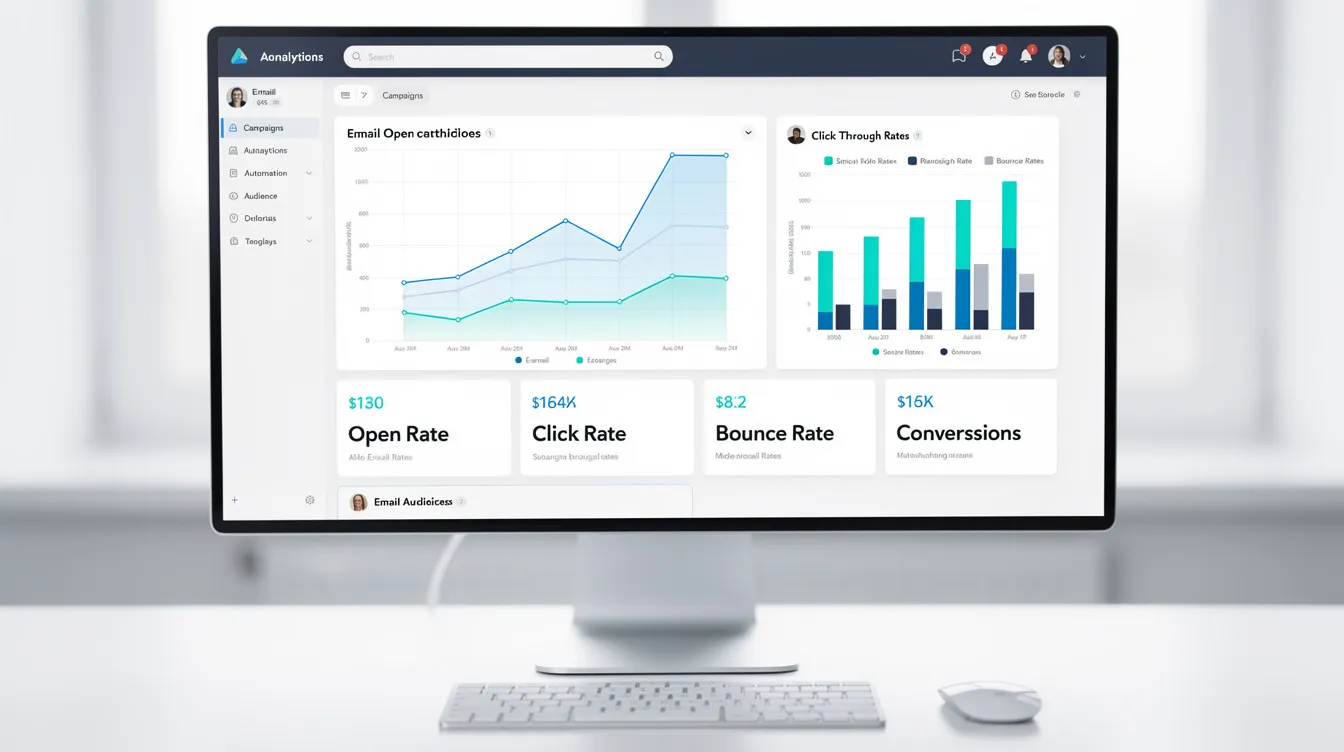
- Advanced reporting dashboards showing opens, clicks, and conversions at a glance
- All-in-one access and integrated features that help boost productivity across marketing tasks
The Pro+ Email Marketing service goes further: VerticalResponse’s team handles copywriting, design, and scheduling so clients can focus on strategy and operations rather than execution details, making it a favorite tool for teams seeking marketing productivity, and its email marketing pricing and plans make it accessible for a range of budgets.
To quantify gains, compare “hours spent per campaign” and “results per campaign” before and after adoption. Organizations typically see a shift from 20 hours per campaign at 2% conversion to 5 hours per campaign at 5% conversion—effectively doubling output while cutting time by 75%.
Productivity Tools: Choosing, Combining, and Using Them Well
The best productivity tool is the one that meaningfully reduces friction in a specific workflow—drafting, scheduling, analyzing campaigns—by providing the benefit of foundational tools that form the basis of effective workflows, rather than simply being the newest app with the most features.
Tool Categories
| Category | Example | Use Case |
|---|---|---|
| Communication | Slack | Quick questions, updates |
| Planning | Google Calendar | Time blocking, meetings |
| Note taking | Notion, Google Docs | Campaign briefs, meeting notes |
| Time tracking | Toggl Track | Weekly audits, project estimates |
| Marketing automation | VerticalResponse | Email, surveys, landing pages |
| Many productivity essentials come pre-installed on your device, such as calendars and reminders, offering the convenience of device-native apps that require no extra downloads or learning curve. |
|
|
Akiflow is a task consolidator that integrates with multiple tools like email and Slack, allowing users to manage tasks from a single inbox and providing productivity analytics. It is especially helpful for users with limited time or resources, streamlining task management efficiently—similar to how VerticalResponse Classic’s broader marketing suite helped early adopters centralize email, events, and surveys.
Most task managers offer similar core features—the difference lies in which one your team will actually use consistently. Many teams already own powerful suites like Google Workspace or Microsoft 365 and should fully exploit other apps in these platforms before adding more subscriptions.
Trying out new tools can provide a motivation boost and help you discover innovative ways to enhance your workflow.
Using Toggl Track Effectively
- Tag time by project or campaign (e.g., “Q2 Newsletter,” “Donor Welcome Series”)
- Review weekly reports to identify where hours go
- Use insights to cut or delegate low-value tasks
Avoid overengineering: if setting up a tool takes longer than the task it manages, choose a simpler solution. You can always revisit when complexity justifies an upgrade.
Building a Simple, Integrated Tool Stack
For a 5-10 person marketing team, a lean stack includes:
- Shared calendar (Google Calendar)
- Collaborative docs (Google Docs or Notion)
- One project tracker (Trello or Todoist)
- Time tracking (Toggl Track)
- Central email marketing platform (VerticalResponse)
Connect these tools conceptually: ideas captured in notes → prioritized on a project board → scheduled on calendar → executed and tracked in VerticalResponse → reviewed via time tracking reports. The ability to integrate and connect with other tools provides the benefit of a seamless, logical workflow that makes sense for team collaboration and productivity.
Create a one-page internal “tool map” showing when and how each tool should be used. This simple resource cuts onboarding time by 50% for new team members.
Schedule quarterly reviews where teams remove unused tools and standardize around the most effective ones to keep costs and cognitive load low.
Note Taking and Knowledge Management for Growing Teams
Structured Note Taking
Structured note taking directly supports productivity by providing the benefit of organized information management: campaign briefs, test ideas, post-mortems, and audience insights stored in structured spaces save hours of searching and recreating.
Standard Templates
Use a standard template for campaign briefs:
| Section | Content |
|---|---|
| Goal | What success looks like |
| Audience | Who we’re targeting |
| Offer | What we’re promoting |
| Measurement plan | KPIs and tracking |
Establish naming conventions (YYYY-MM-DD_CampaignName) and shared lists/folders. This approach gives team members the ability to quickly retrieve past campaigns, survey results, and landing page copy—reducing search time by 70%.
Meeting Summaries
Summarizing meetings into short, action-oriented notes reduces misunderstandings and unproductive follow-up discussions. This method makes sense for team communication: three bullet points with clear owners beat five pages of transcript every time, especially when paired with external email marketing support resources and guides that help standardize best practices across the team.
National Productivity: Why It Matters for Small Organizations
National productivity measures output per hour worked across an entire economy. Labour productivity is a key measure in macroeconomics, calculated as the ratio of output volume (like GDP) to input use (total hours worked), and serves as an indicator of economic growth and living standards. Improvements in national productivity benefit both organizations and individuals by enabling higher wages, increased competitiveness, and better resource allocation.
U.S. Bureau of Labor Statistics data shows nonfarm business sector productivity growth averaged just 1.2% annually from 2010-2025, down from 2.1% pre-2008. This matters because productivity growth is a crucial source of growth in living standards, as it means more value is added in production, leading to increased income available for distribution.
Drivers of national productivity:
- Innovation and technology adoption
- Digital infrastructure quality
- Education and skills development
- Competition and market efficiency
Partial productivity measures focus on one class of inputs, such as labor hours or materials used per unit of production, and can provide insights into productivity development despite being approximate. At the company level, tracking partial productivity—such as output per worker or per unit of material—helps businesses evaluate input efficiency and identify areas for improvement. Advances in technology have made it easier for a company to collect and analyze such data, supporting better decision-making and operational efficiency. Multi-factor productivity (MFP) considers multiple inputs in its measurement, typically using growth accounting to estimate the contribution of labor and capital to economic growth, and is often seen as a measure of technical and organizational innovation.
The “productivity paradox”—where technology adoption doesn’t always translate into measured productivity gains—gets bridged by good management and process design. McKinsey research indicates that management practices alone add 20-30% to output.
For small organizations, better national infrastructure means lower operating costs, while digital adoption subsidies and training programs open new markets. The UK’s 4-day week trials (17 firms, 1000+ employees) showed retained productivity post-6 months, plus 80% improvement in work-life satisfaction and 25% reduction in sick days.
From National Trends to Local Action Plans
Align local strategies with national initiatives available in 2026—digital transformation grants, training vouchers, or sector-specific innovation programs—to gain the benefit of increased access to resources and support. The U.S. Small Business Administration and equivalent bodies in other countries offer resources that can lower tool costs by 30%, providing organizations the ability to leverage these programs for improved productivity.
Consider a small nonprofit that combines public training on digital marketing with VerticalResponse’s automation capabilities: they achieve 30% donation growth without enlarging staff, contributing to both organizational efficiency and broader economic performance.
Track a few simple metrics that mirror national productivity thinking at the organizational level:
- Revenue per employee
- Campaigns per month
- Cost per lead or donation
Smarter use of tools and processes at micro level feeds into improved productivity at macro level—every organization that gets more efficient contributes to the whole.
Putting It All Together: A 30-Day Productivity Action Plan
| Week | Theme | Key Actions |
|---|---|---|
| 1 | Measure and Map | Track time with Toggl Track, audit calendar and meetings, identify top 3 time-consuming tasks |
| 2 | Simplify Tools | Consolidate to one note taking app, one task manager, one marketing platform; create tool map |
| 3 | Automate Key Workflows | Set up 2 automated email sequences (welcome + post-donation), configure reporting dashboards |
| 4 | Review and Refine | Analyze results, adjust workflows, remove remaining low-value activities, set monthly rhythm |
Following this structured 30-day action plan offers the benefit of increased productivity and efficiency, while also providing the ability to adapt each step to your individual or team needs.
Week 1 specifics: Most teams discover 20-30% of their hours go to activities that don’t drive results. Document these before making changes.
Week 2 specifics: Standardizing on VerticalResponse for email, surveys, and landing pages eliminates the friction of managing separate platforms.
Week 3 specifics: Start with high-impact automations—welcome series typically see 30% higher open rates than one-off emails.
Week 4 specifics: Establish a monthly 30-minute review where you check time tracking data, campaign results, and tool usage. Expect 15-25% productivity gains by month’s end based on DeskTime benchmarks.
FAQ: Productivity, Tools, and VerticalResponse
How do I choose the best productivity tool for my small business?
Start by listing 3-5 concrete problems before browsing tools. Common examples: “we forget to follow up with new subscribers,” “we don’t know which campaigns work,” or “nobody can find past campaign assets.”
Test one tool per problem for 2-4 weeks with clear success metrics—hours saved, error reduction, or increase in leads. Prioritize tools that integrate with existing systems and that the whole team will use consistently. Look for transparent pricing, strong onboarding materials, and responsive support. The benefit of selecting the right tool for your workflow is improved productivity and efficiency, as the right fit can streamline processes and enhance collaboration. Take advantage of the ability to test and adapt tools before committing; for example, VerticalResponse’s free trial lets you evaluate whether consolidated email marketing fits your workflow before moving to a paid plan.
Is detailed time tracking necessary, or will it hurt morale?
Time tracking should improve processes and reduce overload, not micromanage. Track at the level of projects or campaign types rather than minute-by-minute surveillance. Explain to the team how data will be used—justifying hiring, cutting low-value work, or rebalancing workloads maintains trust.
A key benefit of time tracking is the ability to gain insights that help optimize workloads and improve overall process efficiency. Pilot time tracking with a small group for 30 days using tools like Toggl Track. Share summarized insights with the wider team before rolling out more broadly. When positioned as a resource allocation tool rather than surveillance, morale typically remains neutral or improves.
How can marketing automation increase productivity without feeling spammy?
Thoughtful automation sends fewer, more relevant messages by segmenting based on behavior—opens, clicks, donations, purchases—rather than blasting everyone. The benefit of marketing automation is that it streamlines your workflow and boosts productivity by saving time and reducing manual effort.
Map a clear customer or supporter journey and create a small number of automated sequences matching real user needs: welcome series, event reminders, thank-you follow-ups. With VerticalResponse, you have the ability to personalize communications for better results, using segmentation, scheduling, and testing features to keep messages targeted, timely, and respectful of subscribers’ preferences. Regular list cleaning and transparent unsubscribe options maintain deliverability and trust, and using a verified sending domain like vresp.com for authenticated campaigns further improves inbox placement and protects your sender reputation.
What’s the first step if my team already feels overwhelmed by tools?
Conduct a one-hour “tool inventory” session where the team lists all apps in use, their costs, and the last time each delivered clear value. You’ll likely discover you’re paying for services nobody uses.
Select one core platform in each category—communication, documentation, project tracking, marketing—and gradually retire the rest. Create a simple internal guide clarifying “we use this tool for X, not Y.” Many organizations find significant productivity gains simply by consolidating email, surveys, and landing pages into a single platform like VerticalResponse. The benefit of this consolidation is the ability to streamline workflows, reduce context switching, and unlock more efficient collaboration, all of which contribute to greater productivity.
How does national productivity affect my day-to-day work?
Higher national productivity leads to better infrastructure, more affordable software, and wider access to digital training. One key benefit for organizations is increased competitiveness and growth opportunities as a result of these improvements. Governments and industry bodies in many countries offer grants or free courses on digital skills, marketing, and automation—especially programs launched after 2020, giving businesses the ability to leverage government programs for digitalization.
Look for regional programs supporting small business digitalization and pair such support with internal process improvements. While national productivity trends set the backdrop, your local decisions about tools, workflows, and culture determine day-to-day effectiveness. Start with the 30-day plan above, and you’ll be contributing to both organizational and economic performance.
© 2026, Ahsan Amin. All rights reserved.




 Features
 Pricing
 Partner
 Blog
Blog Support
 More resources
 Terms of Services
 Privacy Policy