Customer Win-Back Email Templates: How to Re‑Engage Lapsed Customers

Every contact list has them: customers who once opened every email, clicked through to your shop, or logged in weekly-and then went quiet. Win-back emails exist to bring those people back before you lose them for good. This blog post walks you through ready-to-use customer win back email templates, complete with subject lines, copy blocks, and realistic details you can paste straight into your email marketing platform.
Key Takeaways
Win-back emails are automated email campaigns sent after a defined period of inactivity-typically 60 to 180 days-to recover engagement from inactive customers before you remove them from your contact list. These re engagement emails can recover engagement from inactive customers and, according to industry data, sending win-back emails can increase email-driven revenue by 30%.
This article provides copy-ready customer win back email templates for five scenarios: soft re-engagement, product updates, discount offers, feedback surveys, and loyalty rewards. Each template includes email subject line examples and body copy written so a small business or nonprofit can customize them inside email marketing tools like VerticalResponse without needing a designer or a content marketing manager.
Smart segmentation, timing, and testing-not just big discounts-are what actually improve email marketing performance, email deliverability, and customer relationships over time. Every template references concrete dates (like “offer ends July 31, 2026”), realistic coupon codes, and time windows so your subsequent messages feel authentic, not generic.
What Is a Customer Win-Back Email? (Quick Definition)
A customer win-back email is a re-engagement message sent through email marketing to email subscribers or buyers who haven’t opened, clicked, or purchased within a defined window-often 90 days or more. Unlike a generic promotional blast, a win back campaign specifically targets previous customers and lapsed subscribers, referencing their past orders, browsing behavior, or account activity.
Modern win back emails are typically triggered automatically via email automation in email marketing platforms like VerticalResponse, based on inactivity rules you configure (for example, “no purchase since March 2026”). The main goals are straightforward: restore engagement (opens and clicks), revive revenue from existing customers, and protect sender reputation by deciding who to keep versus sunset from your list.
The opportunity is real. With 4.5 billion people projected to use email by 2025 and email marketing delivering a return of $10 to $36 for every $1 spent, even a modest win back campaign can move the needle. Email marketing can drive purchases three times more effectively than social media, making it the most direct line to reach customers who already know your brand.
When Should You Send a Win-Back Email Campaign?
How you define “inactive” depends on your business model. Ecommerce retailers selling consumables or beauty products might flag a customer after 60 to 90 days without a purchase. A SaaS company or service provider might wait 120 to 180 days since a customer’s last login or invoice. The key is to match the timing to your natural purchase cycle so you remind customers at the right moment.
A practical cadence for most small businesses looks like this:
| | Trigger Timing | Purpose |
|---|---|---|
| Email 1 | 60–90 days inactive | Soft value reminder |
| Email 2 | 90–120 days inactive | Update or social proof |
| Email 3 | 120–150 days inactive | Incentive or offer |
| Email 4 | 150–180 days inactive | Sunset or farewell notice |
Inside VerticalResponse, you can set up automated campaigns with conditions like “Last purchase date before April 1, 2026 AND last email open before May 1, 2026.” Triggered emails can be sent automatically after customer actions-or inaction-so your marketing operations run without manual effort. Email automation saves time by scheduling campaigns in advance, which is especially valuable for lean marketing teams.
Core Elements of an Effective Win-Back Email
Every win back email should include these must-have elements:
- Personalized subject line. Personalization includes addressing customers by name and recommending products based on past purchases.
- Brief acknowledgment of the gap. Something like “It’s been a while” sets an honest tone.
- Reminder of value. Why did they sign up or buy from you in the first place?
- Specific incentive or reason to return. This could be a product update, discount, or exclusive content.
- One primary call-to-action (CTA). Keep the copy concise, focusing on a single message with a clear call to action.
- Clear unsubscribe or preferences link. Give customers control-“update preferences” or “fewer emails” options reduce spam complaints.
Use emotional, human-centric subject lines to increase open rates, and keep the tone friendly, not guilt-inducing. For layout, ensure the design is mobile-friendly with simple, clear CTA buttons-85% of users access email via smartphones, so a single-column layout with a bold button and minimal footer clutter is the way to go.
When possible, use dynamic content: show product recommendations based on the last order, service tiers based on a past plan, or upcoming events based on location.
Customer Win-Back Email Sequence Overview (3–4 Touches)
A well-structured win-back flow uses 3 to 4 emails spaced over 60 to 150 days. Win-back emails should start with low-pressure reminders and escalate gradually. Here’s the recommended progression:
- Email 1 – “We miss you” (Day 75). Value-focused. No discount. Optimized for opens and clicks.
- Email 2 – “New things you’ll love” (Day 100). Feature updates, social proof, or customer testimonials. Optimized for clicks and site visits.
- Email 3 – “Exclusive offer” (Day 130). Discount or bonus. Optimized for purchases or reactivations.
- Email 4 – “We’ll say goodbye tomorrow” (Day 165). Sunset notice. Optimized for preference updates or final conversions.
Re-engagement emails can reduce customer churn and rebuild brand interest at each step. Automated emails can generate 30% of email-driven revenue, and automated emails can improve engagement by maintaining regular contact through a sequence like this. Set this up as an automated workflow in your email marketing tools so every subscriber flows through consistently.
Before launching, segment your list to exclude recent complainers, recent refunds, and hard bounces. This protects deliverability and keeps your customer relationships healthy.
Win-Back Email Templates: “We Miss You” (Soft Re‑Engagement)
This is usually the first email in your sequence-sent without a heavy discount, aimed at reminding lapsed customers why they signed up or purchased in the first place. The goal is to re engage, not to sell hard.
Subject line examples:
- “Is this goodbye, {{first_name}}?”
- “{{first_name}}, still interested in [Product]?”
- “We saved your seat at [Your Brand]”
- “Still with us for Summer 2026?”
Template 1 – Retail / Ecommerce:
Subject: We saved your seat at [Your Brand]
Hi {{first_name}},
We noticed it’s been a while since your last order on {{last_order_date}}. We’ve added some things we think you’ll love-including new arrivals in the categories you used to browse.
Here’s what’s trending right now:
Summer essentials collection
Best-selling accessories under $30
Customer favorites rated 4.8+ stars
[Browse What’s New →]
If you’d rather hear from us less often, you can update your preferences below.
Template 2 – B2B / Nonprofit:
Subject: We’d love to support your next campaign
Hi {{first_name}},
It looks like you haven’t logged in since {{last_login_date}}. We’re still here to help you reach your target audience-whether that’s donors, volunteers, or customers.
[Schedule a Quick Check-In →]
Layout tip: Use a single hero image of a best-selling product or platform dashboard, keep body copy to 120–150 words, and use one contrasting CTA button. Welcome emails introduce new customers to your business, but this first win-back touch re-introduces your brand to someone who already knows you.
Win-Back Email Templates: Product & Service Update Angle
Many customers disengage because the product wasn’t ready for them at the time. An update-focused email shows you’ve improved and gives a rational reason to return-without relying on a discount code.
Subject line examples:
- “{{first_name}}, we fixed what you told us in March”
- “New features you asked for are live (June 2026 update)”
- “The [product] you tried in 2024 just got smarter”
Template 1 – SaaS / Service (e.g., VerticalResponse):
Subject: New features you asked for are live (June 2026 update)
Hi {{first_name}},
Since you last used [Product], we’ve shipped some updates based on feedback from customers like you:
Smarter automation triggers – build flows based on purchase history, opens, or inactivity
Improved email deliverability – new domain authentication tools built in
Fresh email templates – 20+ new designs added in 2026
Advanced reporting – see exactly how campaigns perform at a glance
Want to take it for a spin? Your account is still active, and we’ve extended a free 30-day trial through August 31, 2026.
[Reactivate My Account →]
Template 2 – Ecommerce:
Subject: New summer collection just dropped, {{first_name}}
We’ve refreshed our lineup since your last visit. New packaging, new seasonal flavors, and a reformulated best-seller. Come see what changed.
[See What’s New →]
Newsletter emails highlight new products and include articles, but this update email is more targeted-it speaks directly to why someone left. Lead nurturing emails aim to convert interested audiences over time, and this template works similarly for lapsed subscribers who need a compelling reason to return.
Win-Back Email Templates: Discount & Limited-Time Offer Examples
Financial incentives should appear in the second or third win-back email, not the first. Leading with a discount trains inactive subscribers to wait for deals, which erodes your overall marketing strategy over time. Compelling, time-sensitive offers are essential for encouraging customer returns-but timing matters.
Subject line ideas:
- “{{first_name}}, here’s $15 off until July 31”
- “Your loyalty coupon EXPIRES TONIGHT”
- “Last call: $20 off your next purchase”
- “We owe you one, {{first_name}} – open for your gift”
- “Come back for free shipping this weekend only”
Template 1 – Welcome-Back Discount:
Subject: {{first_name}}, here’s $15 off until July 31
Hi {{first_name}},
We’d love to see you back. Use the code below on your next purchase:
Code: WELCOMEBACK15 Valid until: July 31, 2026, 11:59 p.m. PT
A few places to start:
Top-rated skincare sets
Summer accessories under $40
Staff picks for July
[Shop Now & Save $15 →]
Excludes gift cards and subscription boxes. One use per customer.
Use fixed dollar amount discounts rather than percentage discounts to incentivize returns-they feel more tangible and are easier to understand at a glance.
Template 2 – Free Shipping / Add-On (for margin-sensitive businesses):
Subject: Free shipping on us – this week only
Hi {{first_name}}, we’re covering shipping on your next order through August 7, 2026. No code needed-just shop and it’s applied at checkout.
[Start Shopping →]
Research shows that 47% of returning customers generate more revenue after re-engagement, so investing in this email pays for itself. Keep the rules simple: one code, one deadline. Reiterate the offer in both the body copy and CTA button text. Mention exclusions briefly in the footer so they don’t clutter the main message.
Win-Back Email Templates: Feedback & “Help Us Improve” Approaches
Asking for feedback serves two purposes: it can re engage a lapsed customer while uncovering why they left (price, frequency, relevance). That insight fuels your future email marketing strategy and helps you write subject lines and offers that actually resonate. Survey emails gather customer feedback to improve offerings, and including a feedback request in win-back emails helps gather insights on customer behavior.
Subject line options:
- “{{first_name}}, can we make this better for you?”
- “One quick question before we stop emailing you”
- “Tell us what went wrong (2-minute survey)”
Template – Survey with Incentive:
Subject: One quick question before we stop emailing you
Hi {{first_name}},
We noticed you haven’t been around lately, and we want to understand why. Would you take 2 minutes to answer 3 quick questions? Your feedback shapes what we build next.
[Take the 2-Minute Survey →]
As a thank-you, we’ll send you a 10% off code for your next order by August 15, 2026. You’ll receive it via a follow-up confirmation email within 24 hours of completing the survey.
Segment customers based on past purchase history to tailor offers effectively-the feedback you collect here flows back into your CRM or VerticalResponse reports for smarter segmentation of future campaigns. Keep the design minimal: plain background, brand logo, a short paragraph, and a single CTA button. Confirmation emails assure users their actions have been received, so make sure survey respondents get an immediate thank-you.
Win-Back Email Templates: Loyalty & VIP “We Owe You One” Messages
Not all inactive customers are equal. High-value or long-time email subscribers deserve a more personal, VIP-style win-back email that acknowledges their history explicitly. Include customer testimonials or user-generated content to re-establish trust with this segment.
Subject line examples:
- “{{first_name}}, your VIP perks are waiting”
- “You’ve been with us since 2021-here’s something special”
- “A thank-you gift for our most loyal customers”
Template – Loyalty Recognition:
Subject: You’ve been with us since 2021-here’s something special
Hi {{first_name}},
You’ve placed 7 orders with us since March 2020, and we haven’t forgotten. To say thanks, here’s an exclusive loyalty reward:
Code: LOYALTY25 $25 off your next order – valid through September 1, 2026
We’d also love to hear what you’d like to see from us in the rest of 2026. Hit reply and tell us-your note goes straight to our team.
[Claim Your Reward →]
P.S. “VerticalResponse helped me re-launch my donor campaign in half the time.” – Sarah M., nonprofit director
The average success rate of win-back campaigns is 20% to 40%, and VIP segments tend to land on the higher end. This template can lean more text-heavy and personal (letter-style) than other templates, but still include a clear primary CTA and recognizable branding. Promotional emails are sent to maintain awareness of products, but this one goes deeper-it’s about retaining customers and reinforcing customer loyalty through genuine appreciation.
Design, Deliverability & Compliance Best Practices for Win-Back Emails
Design guidelines: Use lightweight HTML, a responsive single-column layout under 600–700px width, a branded header, and accessible font sizes for mobile devices. Email open rates average 19.21% across industries, so every design choice should prioritize clarity and speed. Email marketing is 30 to 60 times cheaper than traditional advertising-but only when your emails actually land in the inbox, not spam folders.
Deliverability matters more with lapsed segments. Lower engagement can hurt sender reputation, so clean hard bounces from your contact list, use confirmed opt-in, and authenticate your domain with SPF, DKIM, and DMARC before launching a win-back series. Refer to email marketing automation best practices for a deeper walkthrough.
Compliance: The can spam act (and CASL, GDPR for other regions) requires a clear unsubscribe link, your physical address, and honest subject lines in every commercial email. Win-back emails must honor existing preferences and opt-out requests-sending unsolicited emails to people who’ve already unsubscribed is both illegal and damaging. These regulations are a core part of any responsible marketing act.
Monitor key metrics during your win-back campaign: spam complaints, bounce rate, and inbox placement. If negative signals spike, throttle or pause sends immediately.
Testing & Optimizing Your Win-Back Email Campaigns
Treat every win-back flow as an experiment. Define a clear hypothesis-for example, “A $15 discount will outperform $10 on reactivation rate over 30 days”-and test it. Testing different versions of email campaigns can reveal effective strategies for specific audiences.
A/B testing ideas for digital marketers:
- Subject line formulas: “We miss you” vs. discount-first
- Incentive type: dollar amount vs. free gift vs. free shipping
- Send time: weekday mornings vs. weekend evenings
- Email length: short and punchy vs. detailed with bullet lists
Track these key metrics over a 30–60 day window after each send:
- Open rate (benchmark: 15–25%)
- Click through rates (benchmark: 3–8%)
- Reactivation rate (purchase or login within 30 days)
- Downstream engagement with later email marketing campaigns
A/B testing tools in VerticalResponse provide built-in reporting and comparison dashboards, making it easier for small businesses and nonprofits to interpret results without a data team. Segmenting your audience can improve email engagement rates, so test across segments (high-value vs. low-value, recent lapse vs. long lapse) to find what works for your specific target audience.
How VerticalResponse Can Power Your Customer Win-Back Strategy
VerticalResponse is an all-in-one email marketing platform built for small businesses and nonprofits that need straightforward email marketing tools to run a successful email marketing campaign-including win back campaigns. Email automation tools help manage large subscriber lists efficiently, and VerticalResponse offers everything you need in one place.
Relevant features for win-back flows:
- Prebuilt email templates you can customize
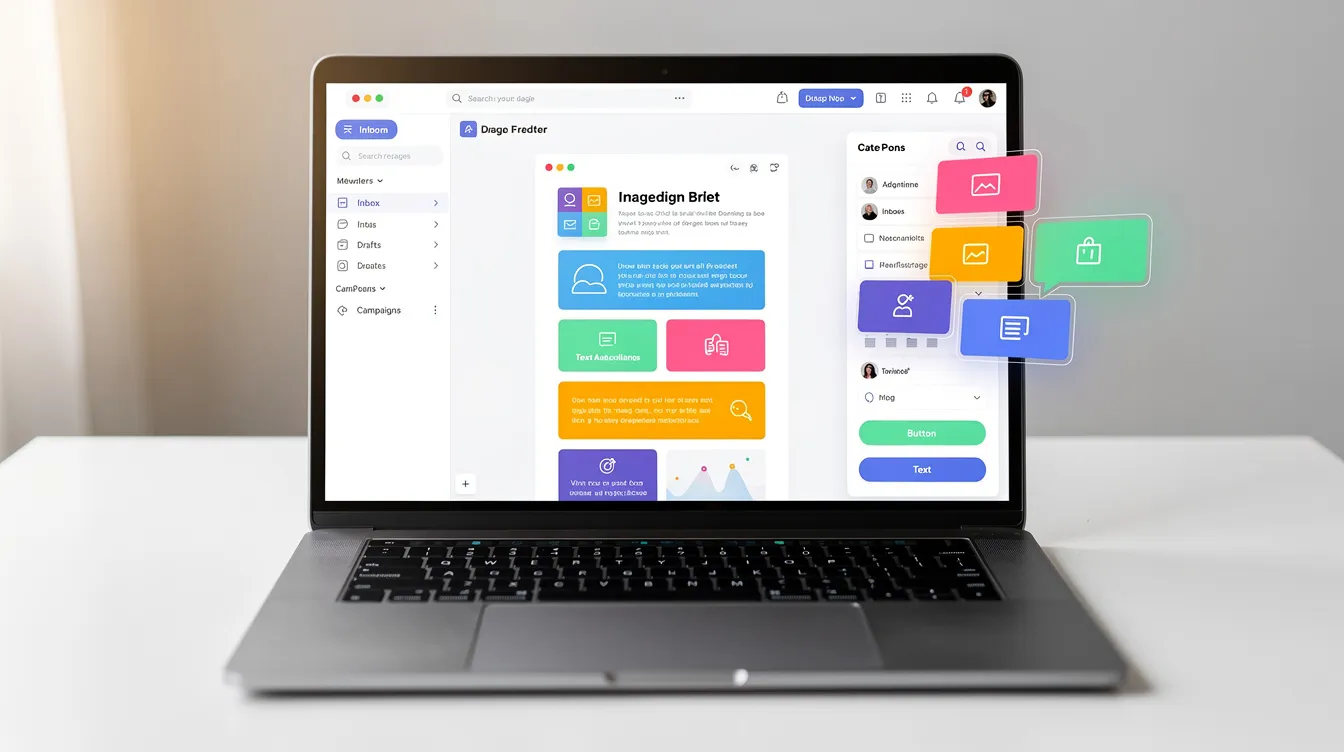
- A drag and drop editor for building on-brand emails without coding
- Automated follow-up sequences triggered by inactivity
- Detailed reporting to measure how campaigns perform
- Optional Pro+ done-for-you services for businesses that want experts managing their marketing efforts
How to set it up:
- Segment inactive contacts (e.g., no opens since April 2026)
- Choose a win-back template from the gallery
- Customize subject lines and copy from the templates in this article
- Schedule the automation sequence
- Review performance after 30 days
Your next step: log into VerticalResponse, create a segment of lost customers who haven’t purchased since January 1, 2026, and launch a 3-email re-engagement flow using these templates. Automated email flows based on inactivity can increase engagement rates, and you can have your first sequence live within an hour. The email marketing process doesn’t have to be complicated to be effective, and these campaigns can inform customers that you’re still here and ready to serve them.

FAQ: Customer Win-Back Email Templates
These FAQs address practical questions about cadence, discounts, and list cleanup decisions that email marketers and marketing teams commonly face when planning win back campaigns.
How many win-back emails should I send before removing someone from my list?
Send 2 to 4 carefully spaced marketing emails over 60 to 120 days, starting with soft reminders and ending with a clear “we’ll unsubscribe you tomorrow unless you click here” sunset message. This approach lets you re engage lapsed customers without overwhelming them.
A concrete rule of thumb: if a contact hasn’t opened any email in the last 12 months-including your win-back series-suppress or remove them to protect engagement and email deliverability. Keeping unresponsive addresses on your list hurts sender reputation and drags down your overall marketing strategy. Your email service provider should make it easy to identify and suppress these contacts, which helps keep customers informed who actually want to hear from you.
Should every win-back email include a discount or coupon code?
No. Value-led and update-focused relevant emails often perform well on their own and avoid conditioning lapsed customers to wait for promotions. Starting every email marketing strategy with a coupon creates discount fatigue and erodes margins-a real concern for small businesses.
Reserve monetary incentives for high-value or long-lapsed segments (e.g., last purchase over 9–12 months ago) and for the later emails in a sequence, not the first touch. This approach improves marketing efficiency while protecting your margins. Digital advertising budgets go further when your email campaigns handle customer retention without deep discounts on every send.
What is a good reactivation rate for a win-back campaign?
Many brands see 5–15% of win-back recipients re engage (open or click), and 2–8% make a new purchase or complete a key action within 30–60 days, depending on industry and list quality. Personalized messaging tied to specific cancellation reasons can push reactivation rates toward the 8–15% range.
Benchmark against your own past results, not just industry averages. Track not only immediate conversions but also future engagement with regular email marketing campaigns to measure the full impact on customer behavior and your overall email marketing performance.
Can I reuse the same win-back templates across regions and languages?
Core structures and offers can be reused, but effective subject lines, cultural references, and compliance language (such as can spam requirements in the U.S. or GDPR in Europe) should be adapted per region. A template that works in English may fall flat-or violate local law-if translated word for word.
Create one “master” English template, then localize key elements with native translators. Test subject line length and style for each market, since what makes someone open an email in one region may not work elsewhere. This keeps your marketing efforts consistent without sacrificing relevance, and helps you reach customers across geographies with such emails that feel locally crafted. Transactional emails like order confirmations also need localization, so apply the same rigor to your win-back series.
Where do confirmation emails fit into a win-back strategy?
Confirmation emails-order confirmations, subscription confirmations, password resets-are transactional emails, not win-back messages. However, they can reinforce engagement with subtle cross-sells, personalized messaging about related products, or reminders to update email preferences.
If a previously inactive customer places an order, that confirmation email effectively “resets” their inactivity timer and removes them from win-back flows in your email marketing automation platforms. This is why your marketing automation setup should monitor customer behavior in real time: once someone converts, stop sending them win-back emails and move them back into your standard email marketing campaigns. The email marketing process works best when each message type-whether it’s promotional emails, survey emails, or win back emails-serves a distinct purpose in the customer journey, and personalized messaging keeps the experience relevant at every stage.
© 2026, Vertical Response. All rights reserved.




 Features
 Pricing
 Partner
 Blog
Blog Support
 More resources
 Terms of Services
 Privacy Policy