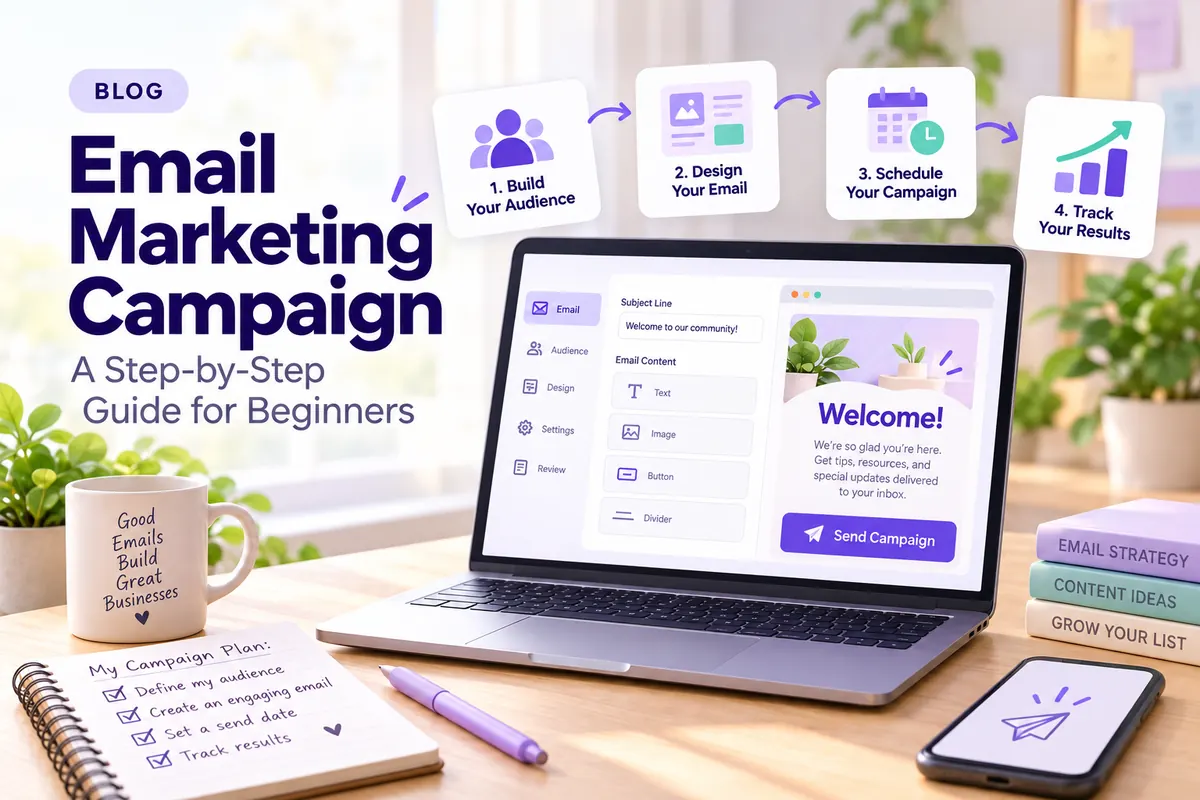
How to Create an Email Marketing Campaign: A Step‑by‑Step Guide for Beginners

Sending your first email marketing campaign can feel overwhelming. Where do you start? What do you write? How do you avoid the spam folder? This guide walks you through every step, from setting a goal to measuring results, so you can launch a campaign that actually works-even if you’ve never done this before.
Key Takeaways
An email marketing campaign is a planned series of emails sent through an email marketing platform to a defined audience with a clear goal. That goal might be generating sales, collecting donations, booking appointments, or simply keeping your audience engaged. Whether you send a single marketing email or a short series of three, the common thread is intention: you know who you’re emailing, why, and what action you want them to take.
Here is a simple beginner workflow for 2026: define one goal, choose a tool like VerticalResponse, build a small opt-in list, design a basic email template, send your campaign, then measure opens, clicks, and conversions. Email marketing can generate a 3,600% return on investment, making it one of the most cost effective digital marketing channels available. Most small businesses and nonprofits can get started for under $50 per month with lists under 1,000 contacts.
Compliance matters from day one. The CAN-SPAM Act requires every marketing email to include a clear unsubscribe option, a valid physical address, and truthful sender information. Building permission-based email lists and honoring opt-out requests protects your email deliverability and keeps your sender reputation intact.
You do not need complex email marketing automation on day one. Start with one simple campaign, learn from your results, then layer in automation, A/B testing, and segmentation as your confidence and list grow.
What Is an Email Marketing Campaign?
Email marketing is a digital marketing channel that uses email to nurture customer relationships, promote products or services, distribute valuable content, and drive measurable actions like purchases, donations, or event registrations. Email marketing allows direct communication with interested audiences, which means you are reaching people who have already raised their hand and said, “Yes, I want to hear from you.”
An email marketing campaign is a coordinated set of messages-sometimes just one email, sometimes a short series-sent to a specific segment of your list with a single, clear goal. A flash sale announcement is one campaign. A three-email welcome sequence for new subscribers is another.
The difference between an ad-hoc one-off email (like a single holiday promo) and an ongoing automated email campaign (like a five-email welcome series) comes down to structure. One-off emails are reactive. Automated series run in the background, delivering relevant messages based on timing or subscriber behavior. Small businesses, local service providers, and nonprofits use email campaigns for product launches, event invitations, fundraising appeals, seasonal offers, company announcements, and regular newsletters.
Why Email Marketing Still Matters in 2026
There are over 4.4 billion email users globally, and daily email users are expected to rise by 500 million by 2027. The global value of email marketing was $8.3 billion in 2023, and market projections estimate the sector will grow well beyond $20 billion by the early 2030s. Email marketing is one of the most reliable ways to reach audiences, and 44% of Chief Marketing Officers say email marketing is essential to their digital marketing strategy.
Unlike social media algorithms that decide who sees your content, you own your email list. You can reach subscribers’ inboxes without paying per impression. That control makes email a foundational pillar in any digital marketing strategy, supporting SEO, social media, and offline efforts by repeatedly reconnecting with people who are already interested in what you offer.
For beginners, the benefits are practical: low email marketing cost, fast setup, easy measurement, and suitability for both B2C and B2B audiences. Even organizations with tiny budgets can run effective email marketing campaigns that compete with brands spending ten times more on other marketing channels.
Step 1: Define the Goal of Your Email Marketing Campaign
Every email campaign should serve one main objective. Trying to announce an event, promote a sale, and request feedback all inside a single email confuses subscribers and dilutes your results. Defining the goal of an email campaign ensures focused content delivery.
Common beginner-friendly goals include:
- Generate first online sales from existing customers
- Book more appointments or workshop seats
- Grow donations for a nonprofit
- Re-engage inactive subscribers
- Drive traffic to a new blog post or landing page
- Increase brand awareness for a product launch
Turn vague goals into SMART ones. Instead of “get more bookings,” try: “Get 50 bookings for our November 2026 webinar from existing email subscribers by sending a three-email series over ten days.” Instead of “raise money,” try: “Collect $5,000 in donations from our donor list by December 15, 2026, through a four-email year-end appeal.”
Align each goal with one or two key metrics you will track later: opens and clicks for awareness goals, revenue or signup counts for conversion goals.
Step 2: Understand and Segment Your Audience
Even a small list benefits from basic segmentation so emails feel relevant to the people receiving them. Segmented emails can lead to higher open rates and engagement, because subscribers get targeted messages that match their interests instead of generic blasts.
Simple beginner segments include:
- Prospects vs. existing customers – different messaging for people who have never bought versus those who have
- First-time buyers vs. repeat buyers – tailor offers based on purchase history
- Donors vs. volunteers – a nonprofit can send different asks to each group
- Active vs. inactive – separate engaged subscribers from inactive subscribers
You can use demographic data (location, age) and behavioral data (past purchases, event attendance, email engagement) to create these segments. You do not need dozens of segments to start-two or three meaningful ones are enough.
For example, a yoga studio might send one email to current members highlighting an “upgrade your membership” offer, and a different email to prospects offering a discounted first class. A nonprofit might send a heartfelt impact story to recent donors and a re-engagement message to lapsed supporters. These slight adjustments in messaging increase engagement and reduce unsubscribes.
Step 3: Choose an Email Marketing Platform
Sending bulk campaigns from a personal Gmail or Outlook inbox is a recipe for trouble. Personal email clients have daily sending limits, no analytics, and no compliance tools-and your messages are far more likely to land in spam. You need a dedicated email marketing platform.
Essential features to look for:
- Drag-and-drop email editor with responsive templates
- List management and segmentation
- Basic email marketing automation (autoresponders, follow-up sequences)
- Analytics dashboard (opens, clicks, bounces, unsubscribes)
- Deliverability tools and compliance features
- Sign up forms and landing pages
Email marketing platforms should include contact management and compliance features so you can manage opt-ins, honor unsubscribes, and stay on the right side of the law without extra effort.
VerticalResponse is built specifically for small businesses and nonprofits. It includes an easy drag-and-drop email editor, signup forms, simple email marketing automation, survey and landing page tools, an AI content assistant, and pay-as-you-go credits for occasional senders. Plans start at $13 per month for up to 500 contacts, and nonprofits receive a 50% discount on Pro plans.
To evaluate any platform, use this checklist:
| Criteria | What to Check |
|---|---|
| Budget | Monthly cost at your list size; pay-as-you-go option? |
| List size | Does pricing scale reasonably as you grow? |
| Ease of use | Can you build and send an email in under 30 minutes? |
| Support | Live chat, email support, knowledge base? |
| Integrations | Connects with your website, CRM, or e-commerce tools? |
Start with a free trial or low-tier plan before committing.
Step 4: Plan Your First Email Marketing Strategy
Even beginners benefit from a basic written plan. Your email marketing strategy does not need to be a 20-page document. It needs to answer five questions: Who am I emailing? What do I want them to do? What will I say? When will I send? How will I know it worked?
Map out one primary campaign for the next 30 days instead of building everything at once.
Mini-strategy example: Local yoga studio
- Audience: 400 email subscribers (mix of current students and prospects)
- Goal: Sell 25 spots in a new four-week “Fall Yoga” series starting November 2026
- Campaign: Three-email series over ten days
- Message: Email 1 introduces the class series with schedule and pricing. Email 2 shares a student testimonial and class benefits. Email 3 creates urgency with a last-chance reminder and an exclusive discount for early sign-ups.
- Success metric: 25 bookings tracked via a landing page link in each email
This campaign ties into the broader digital marketing plan: the studio creates a landing page for sign-ups, promotes the email list on social media, and maybe runs a small ad campaign driving new prospects to the signup form.
Step 5: Build and Grow a Permission‑Based Email List
Building a permission-based email list is crucial for compliance and effectiveness. Purchased lists lead to high bounce rates, spam complaints, and damaged sender reputation. Every name on your list should come from someone who actively chose to hear from you.
Concrete list-building tactics:
- Website signup forms (header, footer, pop-up)
- Blog post downloads or resource opt-ins
- Checkout opt-ins for e-commerce stores
- Event registration forms (online and in-person)
- Paper sign-up sheets at local markets, workshops, or community events
- Social media bio links pointing to a sign-up landing page
Using lead magnets can significantly improve email list growth. A lead magnet is something of immediate value you offer in exchange for an email address. Creating an engaging and relevant offer can encourage subscribers to share their email addresses. Examples:
- Local bakery: “Get our free seasonal recipe card when you join our list”
- Nonprofit: “Download our 2026 Community Impact Report”
- Fitness studio: “Sign up for a free trial class”
- Consultant: “Get our 10-point website audit checklist”
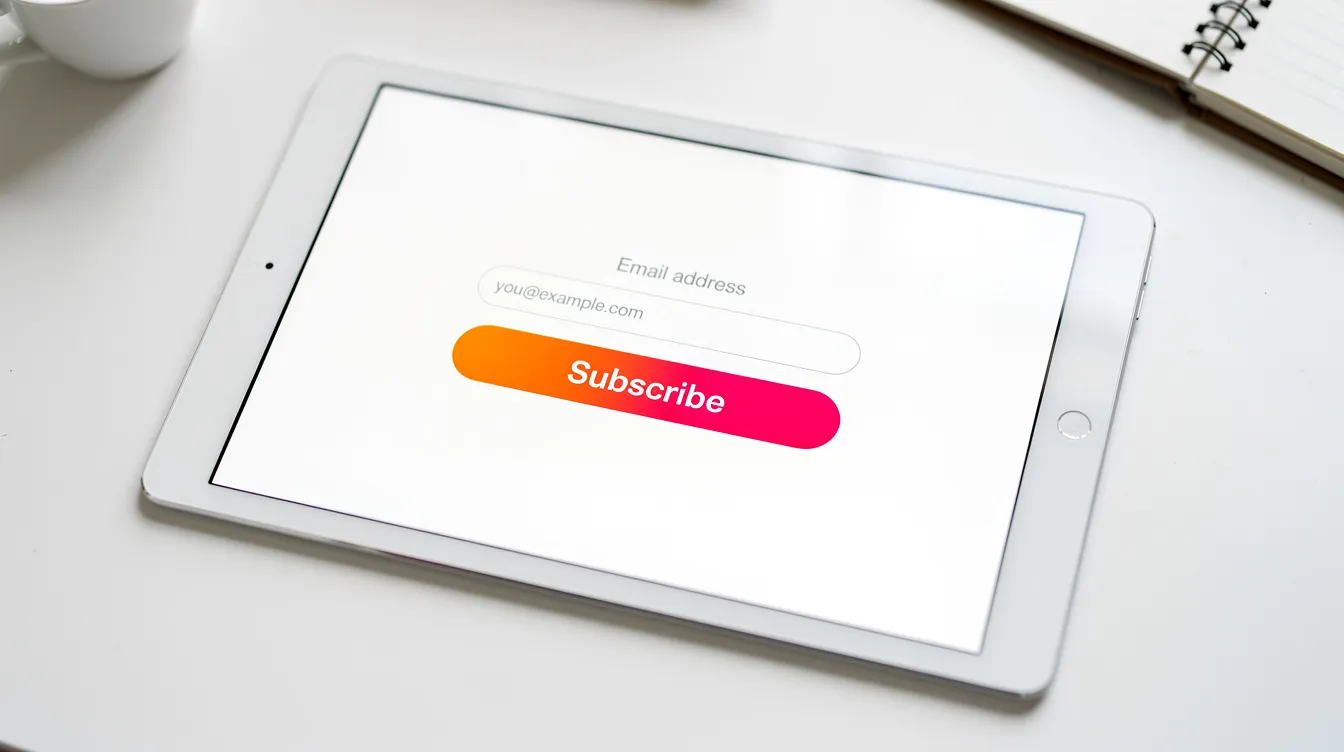
Use double opt-in where appropriate-subscribers confirm their email address by clicking a link in a verification email. This adds a small step, but it produces cleaner lists, higher email deliverability, and better compliance with international regulations like GDPR.
Step 6: Stay Legal and Compliant (CAN‑SPAM Act and Beyond)
Legal compliance protects your inbox placement, your brand’s trust, and your wallet. Violating email laws can result in fines of up to $46,517 per email under the CAN-SPAM Act.
Key CAN-SPAM Act requirements for U.S. senders:
- Clear sender identity: Your “From” name and email address must accurately identify who is sending the message
- Truthful subject lines: The subject line must reflect the content of the email
- Valid physical address: Include a street address, P.O. box, or registered private mailbox
- Visible unsubscribe link: The CAN-SPAM Act requires a clear unsubscribe option in emails, and you must honor opt-out requests within 10 business days
- Identify as advertisement: If your email is promotional, disclose that clearly
If you email people in the EU or other regions, GDPR and other privacy regulations add requirements: explicit consent (opt-in), stored consent records, and data privacy protections. When in doubt, get explicit permission before adding anyone to your list.
Platforms like VerticalResponse help with compliance defaults-automatic unsubscribe footers, list management, and bounce handling-but you, the sender, are ultimately responsible for following the law.
Step 7: Decide on the Type of Email Campaign You’ll Run
Email marketing campaigns come in different flavors. Beginners should start with one type that matches their goal.
| Campaign Type | What It Does | Best For |
|---|---|---|
| Welcome series | Greets new subscribers and sets expectations for future emails | Every business |
| Newsletter | Shares valuable content, industry news, and updates | Ongoing engagement |
| Promotional email | Drives sales through special offers and exclusive discounts | Revenue goals |
| Event invitation | Promotes webinars, workshops, or fundraisers | Service businesses, nonprofits |
| Re-engagement campaign | Targets inactive subscribers to revive interest | List hygiene |
| Post-purchase follow-up | Thanks customers and encourages reviews or repeat purchases | E-commerce, services |
Welcome emails have the highest open rates of any email type, making a welcome series one of the smartest first campaigns you can build. Promotional emails drive sales through special offers and discounts. Reengagement emails target inactive subscribers to revive interest. Transactional emails-like order confirmations and account updates-have the highest open rates due to customer expectations, though they serve a different purpose than marketing campaigns. Abandoned cart emails remind customers of items left in their cart, recovering revenue that would otherwise be lost.
Beginner scenarios: A new Etsy shop might launch with a promotional email offering free shipping on first orders. A nonprofit running an end-of-year fundraising campaign in November–December 2026 might send a four-email appeal series mixing storytelling with donation asks.
Choose one primary campaign type for your first four to six weeks to avoid overwhelm.
Step 8: Create a Simple Email Calendar
An email calendar is a schedule that outlines what you will send, to whom, and when, over the next 30 to 90 days. It turns “I should probably email my list” into a concrete, consistent schedule.
A beginner cadence might look like one newsletter per month plus one or two promotional or event-specific emails, adjusted to your business model. Avoid sending multiple sales emails in a single day. Aim for predictable, consistent timing that matches audience expectations.
Example calendar for October 2026:
| Date | Email Type | Audience | Topic |
|---|---|---|---|
| Oct 6 | Newsletter | Full list | Fall tips + behind-the-scenes update |
| Oct 14 | Promotional | Existing customers | Early access to holiday sale |
| Oct 21 | Event invite | Local segment | Free workshop RSVP |
| Oct 28 | Reminder | Workshop non-responders | Last chance to register |
A simple email calendar like this keeps you organized and prevents the feast-or-famine pattern where companies send nothing for weeks, then blast five emails in two days.
Step 9: Outline Your Email Workflow (Manual or Automated)
An email workflow is the sequence of emails and triggers in a campaign-either scheduled manually on specific dates or automated based on subscriber behavior.
Manual workflow example: Three emails over ten days promoting a Black Friday 2026 offer to your main list.
- Day 1: Announce the sale with details and a single CTA
- Day 5: Share a customer testimonial and remind readers the offer expires soon
- Day 10: Final reminder with urgency (“Ends tonight”)
Beginner automation example: A two-to-three email welcome series sent automatically after signup.
- Day 0: Welcome email with brand story and what to expect from future emails
- Day 3: Valuable content-a helpful resource, tip, or guide
- Day 7: Gentle offer or invitation to take the next step
Automated follow-up emails help maintain engagement with subscribers after their initial action. Email automation can trigger messages based on user actions-like signing up, clicking a link, or making a purchase-without you lifting a finger each time. Tools like VerticalResponse let you set up basic email marketing automation using simple trigger-delay-email workflows without coding.
Step 10: Choose or Design Your Email Template
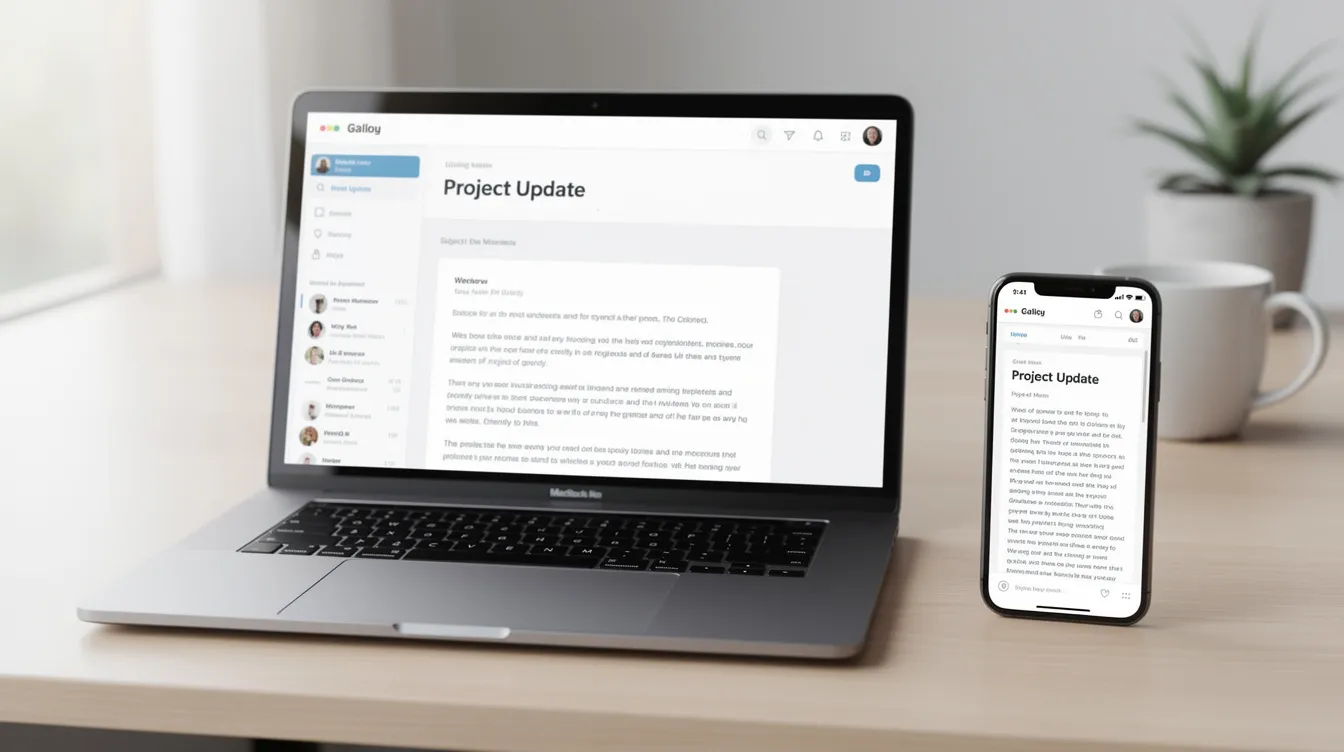
You do not need design skills to create professional-looking emails. Templates handle layout and mobile responsiveness for you. Designing emails for mobile compatibility is essential, as many users open emails on mobile devices.
Choose one clean, mobile-friendly template and use it consistently for brand recognition. Include your logo, brand colors, and standard sections: header, body, CTA button, and footer.
Template best practices:
- Single-column layout for mobile devices
- Large, tappable CTA buttons (at least 44px tall)
- Accessible font sizes (16px body text minimum)
- Limited images-don’t rely on images alone to convey your message
- Consistent branding so your email appears familiar every time it arrives
Use your email marketing platform’s built-in templates. VerticalResponse’s email editor includes a gallery of responsive templates you can customize in minutes. For your first campaign, a clean, simple design beats a complex custom layout every time.
Step 11: Write Compelling Campaign Copy
Good email copy starts with clarity. Each email should have one main offer or message, written in simple, conversational language. Email content should balance between promotional and value-driven information to engage readers.
Break your copy into four parts:
Subject line: Crafting compelling subject lines increases email open rates. Personalized subject lines can increase email open rates significantly. Keep them under 50 characters when possible, and make the benefit or curiosity clear.
Examples of compelling subject lines:
- “Get 20% off fall services before October 31” (local service business)
- “Help us reach 100 scholarships by Giving Tuesday” (nonprofit)
- “Your free recipe card is inside” (local bakery)
Preview text: This is the short snippet that appears next to or below the subject line in most email clients. Use it to expand on the subject line, not repeat it.
Body copy: Short paragraphs, scannable bullets, and a conversational tone aligned with your brand voice. Avoid spammy phrases like “ACT NOW!!!” or “100% FREE” and excessive punctuation, which can hurt email deliverability.
Call-to-action (CTA): A clear call-to-action guides subscribers on the next steps. Emails with a single call-to-action perform better than those with multiple CTAs-so pick one primary action per email and make it obvious.
Step 12: Add Visuals and Brand Elements
Images and branding support brand recognition and email engagement, but they should not overshadow the message. A clean visual approach works best:
- Logo in the header
- One to two on-brand images or illustrations that support the content
- Consistent colors matching your website
Technical tips:
- Add alt text to every image so the message still makes sense if images don’t load
- Optimize file sizes for fast loading (under 200KB per image is a good target)
- Avoid image-only emails-these can trigger spam filters and are inaccessible to screen readers
Include social media icons in the footer and, when relevant, links to landing pages, surveys, or sign up forms for cross-channel engagement.
Step 13: Set Up Tracking, Links, and Basic A/B Testing
Tracking is what turns an email send into a measurable marketing campaign. Most of it is handled automatically by your email marketing platform-opens, clicks, bounces, and unsubscribes are tracked the moment you hit send.
For deeper insight, add UTM parameters to your main links so Google Analytics can attribute website traffic and conversions to specific email campaigns. Every main CTA button should link to a relevant landing page, not just your homepage.
A/B testing (sometimes written as “A B testing”) lets you compare two versions of an element to see which performs better. Using A/B testing can optimize email performance through data-driven decisions. A/B testing can optimize email subject lines and content for better performance. A/B testing various elements of emails can lead to improved results over time.
Start with one simple test: send two subject lines to a small percentage of your list (say 20%), wait a few hours, then send the winning version to the rest. VerticalResponse’s Pro plan includes A/B subject line testing built in.
One test per campaign is plenty for beginners. Subject line or send time are the easiest variables to test first.
Step 14: Test and Preview Before You Send
Testing protects you from broken links, typos, missing images, and layout issues that can undermine your credibility.
Pre-send checklist:
- [ ] Subject line and preview text are correct
- [ ] All links work and point to the right pages
- [ ] Personalization fields (like first name) display properly
- [ ] Images load and have alt text
- [ ] Unsubscribe link is visible and functional
- [ ] Email looks good on both mobile devices and desktop
- [ ] Physical address is included in the footer
Use your platform’s test email feature. Send a copy to yourself and one or two colleagues. Open it in Gmail, Outlook, and on your phone. Check that the email appears correctly across different email clients.
If your platform provides spam score warnings, review them and remove any flagged words or formatting issues before sending the live campaign.
Step 15: Choose the Right Send Time and Press Send
There is no universal best send time. Research often points to weekday mornings and early afternoons, but your target audience may differ.
Practical starting points:
- B2B lists: Test 9–11 a.m. local time, Tuesday through Thursday
- Consumer/e-commerce: Test weekday evenings or Saturday mornings
- Nonprofit appeals: Test Tuesday or Wednesday mornings when subscribers’ inboxes are less crowded
Schedule your email instead of sending immediately. This lets you pick the optimal time and double-check everything one last time. Some email platforms even let you send at the optimal time in each subscriber’s time zone.
Pressing send is not the end. It is the start of learning from real-world results.
Step 16: Monitor Performance and Key Metrics
Measurement is how you improve. Even with a very small list, monitoring key metrics like open rates and click-through rates can refine future campaigns.
The most important beginner metrics:
| Metric | What It Tells You | Healthy Range |
|---|---|---|
| Delivery rate | % of emails that reached subscribers’ inboxes | 98%+ |
| Open rate | % who opened the email | 21–25% average |
| Click-through rate (CTR) | % who clicked a link | 2–4% average |
| Conversion rate | % who completed the desired action | Varies by goal |
| Unsubscribe rate | % who opted out | 0.1–0.4% |
| Spam complaints | % who marked you as spam | Under 0.1% |
On average, 20% of subscribers open an email, and around 5% of subscribers click on a link in an email. These are averages-your results will vary by industry, list quality, and content relevance.
Compare your campaigns over time rather than chasing perfect numbers. Use your email marketing platform’s dashboard-VerticalResponse’s reporting shows which links and content performed best, along with device usage and geography. Look for trends: is engagement going up or down? Which subject lines and send times get the most clicks?
Step 17: Improve Email Deliverability Over Time
Email deliverability is your ability to get emails into the inbox instead of the spam folder. Strong deliverability means more of your audience actually sees your message.
Simple hygiene tips:
- Remove hard bounces immediately after every send
- Regularly cleaning the email list enhances deliverability and engagement levels-scrub unengaged subscribers every few months
- Never send to purchased or scraped lists
- Honor unsubscribes instantly
- Use a consistent “From” name and email address
Consistent engagement (opens, clicks) sends positive signals to inbox providers like Gmail and Outlook, improving future deliverability. When subscribers regularly interact with your emails, inbox providers learn that your messages are wanted.
More advanced practices-like warming up a new sending domain, using a custom sending domain, and configuring SPF, DKIM, and DMARC authentication-are valuable next-level steps. Most beginners can postpone these until their list and sending volume grow, but they are worth understanding as your email marketing program matures.
Step 18: Scale Up with Basic Email Marketing Automation
Email marketing automation is not just for big companies. It is a way to send the right email to the right person automatically based on their actions or timing. Email automation saves time by handling repetitive tasks so you can focus on strategy and content.
Beginner workflows to implement after your first manual campaign:
- Welcome series for new subscribers (your highest-engagement opportunity)
- Simple birthday or anniversary message using customer data
- Abandoned cart reminder for online stores
- Post-event follow-up for webinars or fundraisers
- Re-engagement emails for inactive subscribers
Automated emails can increase customer engagement and retention. Automated workflows can nurture leads without manual intervention. Email automation can improve response rates by personalizing content-sending targeted emails based on what each subscriber has actually done.
Platforms like VerticalResponse let you drag-and-drop simple workflows (trigger → delay → email) without technical skills. Start small: one or two automated sequences can significantly improve results while keeping your email marketing cost low.
Step 19: Estimate and Control Your Email Marketing Cost
Email marketing is usually one of the most affordable digital marketing channels, but costs can grow as lists and features expand. Understanding your email marketing pricing helps you budget wisely.
Typical cost components:
- Platform subscription or credits: $13–$50/month for most small businesses
- Design and copywriting: Staff time, volunteer effort, or occasional freelancer
- List growth tools: Often included in your platform (forms, landing pages)
- Time investment: The most overlooked cost-plan, create, review, analyze
Example budgets:
| Organization | List Size | Monthly Platform Cost | Total Monthly Estimate |
|---|---|---|---|
| Local nonprofit (50% discount) | 2,000 contacts | ~$25 (Pro discounted) | ~$30–50 including staff time |
| Small online shop | 8,000 subscribers | ~$80–100 (scaled tier) | ~$120–180 including design |
VerticalResponse offers flexible pricing-monthly subscriptions for regular senders and pay-as-you-go email credits for occasional campaigns. Nonprofits get a 50% discount on Pro plans. This means you can start small and scale without large upfront spend, keeping your marketing cost proportional to your results.
Step 20: Connect Email with Your Wider Digital Marketing
Email campaigns work best when integrated with the rest of your digital marketing-website, social media, search, and offline activities. Email is not a silo. It is a connector that ties your marketing channels together and moves people through the sales funnel.
Promote your email list on social channels and use emails to drive traffic back to blog posts, landing pages, surveys, and special offers. Pair email marketing campaigns with landing pages and online surveys to get richer customer data and insights. Use emails to increase customer loyalty by delivering personalized content, sharing industry news, and giving active customers reasons to engage customers with your brand between purchases.
Review your full marketing funnel quarterly. Adjust how email supports each stage: awareness (newsletter and content), consideration (targeted messages and case studies), purchase (promotional emails and exclusive discounts), and loyalty (post-purchase follow-ups and re engagement campaigns). When your email marketing strategy aligns with your broader digital marketing strategy, every channel amplifies the others.
From First Campaign to Confident Email Marketer
You have now walked through the full journey: define a goal, choose an email marketing platform, build a list, plan, create, send, measure, and improve. That is the entire cycle, and it repeats with every campaign you launch.
Your first campaign does not need to be perfect. Consistent learning and iteration are more important than flawless design. Every send teaches you something-which subject lines your audience responds to, which CTAs get clicks, and what send times work best.
After each campaign, document what you learned. Keep a simple log: what worked, what didn’t, and what you will try next time. Over several months, these small improvements compound into a marketing team capability that drives real results.
When you are ready, explore more advanced features in VerticalResponse-deeper segmentation, more sophisticated marketing automation, A/B testing of content variations, and multichannel campaigns that combine email with landing pages, surveys, and social media promotion. The tools will be there when you need them.
The best email marketing program is the one you actually use. Start with one goal, one audience, and one email. Build from there.

FAQ: Getting Your First Email Marketing Campaign Right
How many emails should my first campaign include?
Beginners can start with a single, well-crafted email or a short two-to-three email series spread over seven to ten days, depending on the goal and audience tolerance. A welcome series for new subscribers might include three automated messages, while a promotional campaign might need only one or two. Start smaller and focus on quality and clarity rather than volume. You can always add more emails to future campaigns once you understand how your audience responds.
How long should my marketing emails be?
Aim for concise emails that can be scanned in under a minute: a clear headline, a short intro paragraph, a few bullets or short paragraphs, and one main CTA. Educational newsletters can be slightly longer if the content is genuinely useful, but transactional emails and promotional emails often perform best when they are brief and to the point. If you find yourself writing more than 300 words, ask whether the extra content is adding value or just adding length.
Do I need a separate email domain for campaigns?
Many small businesses start by sending from a branded address on their main domain (like newsletter@yourbusiness.com) using an email marketing platform, and that works fine for early campaigns. As your sending volume grows, using a dedicated sending domain and configuring proper authentication-SPF, DKIM, and DMARC-can further improve deliverability. VerticalResponse and most email platforms can help you configure these settings when the time comes.
What if I have a very small list-does email marketing still work?
Even lists under 100 subscribers can be valuable if those subscribers are highly interested and engaged. A small, engaged list almost always outperforms a large, unengaged one. Focus on personalization, relationship-building, and delivering relevant content at this stage, while steadily growing the list with ethical, opt-in methods like sign up forms, lead magnets, and event registrations. Welcome emails sent to even a handful of new subscribers set expectations and build trust from the first interaction.
How soon will I see results from my first email marketing campaign?
Basic engagement data-opens, clicks, bounces-appears within the first 24 to 72 hours after sending. Revenue impact or long-term results like increased customer loyalty may take multiple engaging email campaigns to assess. Review your results after one week, make one or two improvements, then launch your next campaign. Momentum builds over several months, not overnight. The goal is continuous improvement, not instant perfection.
© 2026, Vertical Response. All rights reserved.




 Features
 Pricing
 Partner
 Blog
Blog Support
 More resources
 Terms of Services
 Privacy Policy